

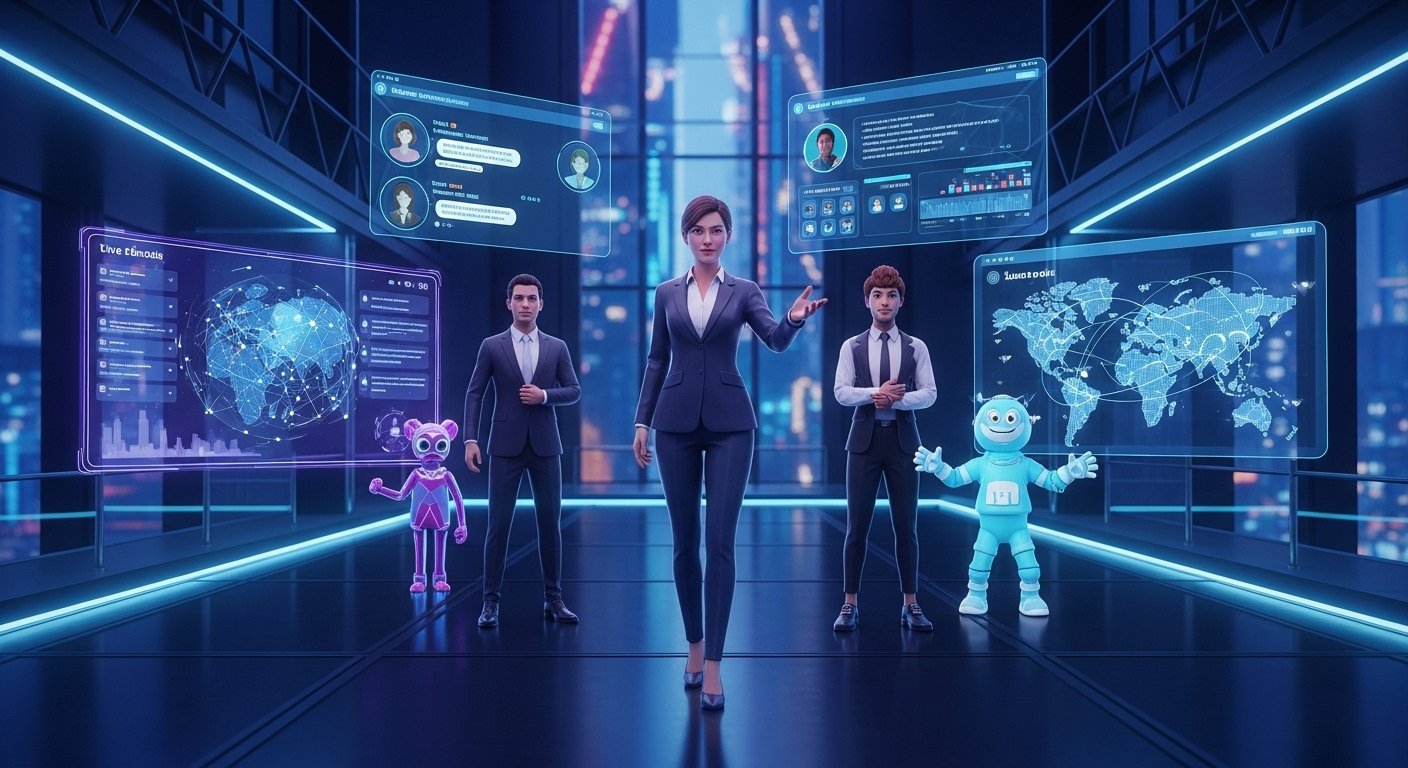
The world of online gatherings is changing faster than a viral TikTok dance. Virtual events used to be just boring video calls where everyone stayed on mute. Now they have turned into full-stage digital experiences that look like big budget movie sets. Audiences today expect way more than a simple slideshow or a blurry webcam feed. They want smooth hosting and visuals that actually keep them awake until the very end. This shift is exactly why top ai avatar tools for virtual event hosting are becoming the secret weapon for smart planners.
AI avatar tools allow you to give your online conference or workshop a super modern look. These digital presenters can speak and guide your crowd just like a real person would. Many folks feel totally awkward when they have to get in front of a big camera. They struggle with recording professional video or setting up expensive lights. AI tools fix this mess by letting you pick a host who never forgets a line or gets nervous.
What are AI Avatar Tools
An AI avatar tool is basically a software platform that builds a digital presenter using artificial intelligence. These digital characters can talk and move with realistic expressions that mimic human behavior. You get to choose how they look and what kind of voice they use. This means you can create a professional video without spending a dime on fancy microphones. It is like having a Hollywood studio inside your laptop.
The tech behind these tools is pretty wild because it uses machine learning to sync voices with lip movements. You can pick between a 2D video-based avatar that looks like a real human or a 3D version for VR events. Most platforms allow you to just type a script and watch the magic happen. The avatar then delivers your message with a consistent tone that never sounds tired. This makes them highly versatile for everything from a product launch to a simple team meeting.
Why AI Avatars are Essential for Modern Virtual Events
- Overcoming Camera Shyness: Many people lose their words when they see a recording light turn red. Digital presenters take that pressure away so you can focus on the content.
- Professional Consistency: Humans make mistakes and might have a bad day during a live webinar. An AI host stays perfect every single time you hit play.
- Resource Efficiency: You do not need to hire a film crew or rent a studio space anymore. This massively lowers your production cost while keeping the quality high.
- Global Reach: These tools come with multilingual support so you can talk to the whole world. You can reach a global audience without needing to learn ten different languages.
How AI Avatars Transform Audience Engagement
Keeping people interested during a webinar is a tough job for anyone. AI avatars help by capturing attention right from the start with high energy. They can introduce slides and highlight key points so your guests do not get lost. The real-time lip sync and eye movement accuracy make them feel way more natural than a static image. When a host looks at the screen and smiles, the audience feels like they are part of the show.
Engagement also gets a boost from the interactive sessions these tools provide. Some advanced platforms allow for real-time interaction where the avatar can answer questions. This turns a boring presentation into a dynamic hosting experience. Instead of just watching a screen, your audience gets to interact with a digital personality. This keeps people focused and makes your event much more memorable for everyone involved.
Top 15 AI Avatar Tools for Virtual Events
HeyGen: The Powerhouse for Realistic Video

HeyGen is currently one of the most powerful top ai avatar tools for virtual event hosting on the market. It uses an impressive AI voice engine to create realistic expressions and natural movements. The lip-syncing is so good that it is hard to tell the avatar isn’t a real person. You can create a studio feel for your event without ever leaving your desk. It is perfect for professional conferences and high-end summits.
- Key Features: It offers a wide range of avatars from business pros to fun characters.
- Multilingual AI Voices: The tool can speak in many different languages effortlessly.
- User-Friendly: The interface is simple so you can go from script-to-video in no time.
Synthesia: The Corporate Training Standard
Synthesia is a big name when it comes to onboarding and corporate training. It provides human-like avatars that give your event a very formal and trustworthy feel. You just type your script and the tool handles the rest of the video production. It is great for long-form videos where you need a clear and steady voice. Many global teams use it to keep their messaging consistent across different countries.
- Language Support: It supports over sixty languages which is great for international crowds.
- No Editing Needed: You do not need any video editing skills to make a great video.
- Custom Backgrounds: You can easily add your own slides or branding elements to the video.
Rephrase AI: Personalized Large-Scale Delivery
Rephrase AI focuses on creating a human interaction feel through personalized video messages. It uses advanced animation technology to create very realistic facial expressions. This tool is a favorite for event planners who want to send custom invites to thousands of people. It makes every guest feel like the host is talking directly to them. This level of personalization really helps with credibility and brand identity.
- Brand Customization: You can tailor your avatar to fit your specific brand voice.
- Mass Production: It can generate large amounts of video content very quickly.
- Dynamic Content: Perfect for product demos and keynote introductions.
InVideo AI: The Comprehensive Production Suite
InVideo AI is more than just an avatar tool because it handles the whole video creation process. It uses automated scene generation to turn your text into a full video with music and transitions. This is one of the top ai avatar tools for virtual event hosting for those who want a complete package. You can create long-form videos without getting stuck on technical details. It helps you stay focused on your event planning software instead of editing.
- Smart Editing: The AI picks the best visuals and branding elements for your video.
- Time Saver: It turns scripts into polished videos in just a few minutes.
- Engaging Hosts: The avatars work well for keeping a steady flow throughout the event.
Colossyan: Scenario-Based Learning and Training
Colossyan is a top choice for folks in the educational content and training world. It allows you to create scenario-based videos where avatars act out real-life situations. You can change the host’s outfit and natural movements to fit the vibe of your workshop. This gives you a lot of control over how your virtual host appears to the audience. It is perfect for teaching communication skills or human-centered skills.
- Realistic Gestures: You can pick specific gestures for the avatar to make during the talk.
- Role-Playing: Great for setting up training simulations for employees.
- Diverse Avatars: Offers a wide variety of digital characters to choose from.
DeepBrain AI: Industry-Leading Virtual Humans

If you want your event to look super premium, DeepBrain AI is the way to go. They specialize in virtual humans that have incredible eye movement accuracy. These avatars look so real they are often used for high-level client presentations and seminars. They provide a level of professional hosting that is hard to beat with other software. This tool really helps build trust and credibility with a serious audience.
- Live Support: Their avatars can be used for real-time video creation during a show.
- Sync Accuracy: The lip synchronization is considered industry-leading.
- Broadcast Quality: The videos look like they were made for television.
Elai.io: Identity-Focused Avatar Creation
Elai.io is the best option if you want to use your own face as a virtual host. You can upload a photo and create a customizable avatar that looks exactly like you or your brand rep. This helps keep your brand identity consistent across all your event announcements. It also offers great text-to-speech features that support many different global languages. It is a very flexible tool for both marketing and educational segments.
- Personalized Avatars: You can turn yourself into a digital presenter with ease.
- Script Support: It handles long and detailed scripts without any glitches.
- Product Promotions: Excellent for making product demos that feel personal.
Pictory.AI: Mastering Event Highlights and Summaries
Pictory.AI is famous for taking long videos and turning them into short highlights. Its avatar features are great for creating quick recaps of a virtual conference. If your event has a lot of information, this tool helps you share the best parts on social media. The digital presenters can deliver these summaries in a clear and engaging voice. This saves you a ton of effort and production cost in the long run.
- Auto-Summarization: The AI finds the most important points in your video automatically.
- Quick Clips: Perfect for making bite-sized educational content.
- Time Efficient: It makes the post-event wrap-up much faster for the planning team.
D-ID: Animation and Creative Messaging
D-ID is a very creative tool that can bring any static photo to life. You can take a headshot and turn it into a speaking virtual presenter in seconds. It uses impressive animation technology to make the photo move and show expressions. This gives your event a very unique and premium look that stands out from the crowd. It is often used for virtual greetings that grab the audience’s attention right away.
- Photo-to-Video: Turn any high-quality image into a talking host.
- Expressive Styles: The tool offers different animation styles to fit your event’s mood.
- Fast Creation: You can generate a video clip very quickly with simple inputs.
Hour One: Speed and Professional Templates
Hour One is all about getting your content ready in record time. It uses premade avatars and templates so you do not have to start from scratch. This is very helpful for event organizers who need to make many different videos for a summit. The avatars have a very modern and sleek look that works perfectly for corporate meetings. It is a reliable choice for consistent delivery of branded video content.
- Pre-made Templates: Pick a layout and an avatar to start your project immediately.
- Global Ready: It is great for international communications across different time zones.
- High-Speed Rendering: The video production process is very fast.
Movio: Drag-and-Drop Simplicity
Movio makes it super easy for anyone to create an avatar video with no experience. It uses drag-and-drop controls that feel as simple as making a PowerPoint slide. The avatars are friendly and expressive which is perfect for an engaging tone. You can change background effects and add visual elements with just a few clicks. It is one of the top ai avatar tools for virtual event hosting because it is so accessible.
- Beginner Friendly: You can learn to use the tool in just a few minutes.
- Creative Elements: Add transitions and music to make the video more attractive.
- Fast Editing: Adjusting your digital host’s look is quick and easy.
NeRo AI: The 3D and VR Specialist

NeRo AI is the tool you want if you are hosting an event in a 3D environment. It is designed for VR-based events where your avatar needs to move around a digital space. This tool allows your host to walk and gesture in real-time within a 3D meeting space. It helps event planners build immersive digital experiences that feel like the future. It is truly a next-level way to engage a modern audience.
- 3D Movement: The avatar can actually interact with the digital surroundings.
- VR Ready: Perfect for tech conferences and futuristic workshops.
- Immersive Learning: Helps guests feel like they are physically present in the session.
Kinetix: Full-Body Animation and Interaction
Kinetix takes things a step further by offering full-body animation for your avatars. Your digital host can dance or perform complex real-time movements during the show. This makes it a hit for entertainment shows and gaming team events. It adds a fun and interactive layer to any live gathering. If you want your seminar to be exciting and different, this is a great tool to explore.
- Dynamic Poses: The avatars can move their whole body, not just their head.
- Interactive Fun: Great for keeping the energy high during a long workshop.
- Creative Control: You can direct the avatar’s actions to match the script.
VirtualHumans.org: Digital Personality Design
VirtualHumans.org helps you build a unique digital personality from the ground up. These are often used as virtual presenters who can speak and share updates during a session. They are very popular on social media because they look like real digital influencers. This tool is perfect for professional hosting where you want a host that guests recognize. It really helps in building a localized look for different global teams.
- Custom Personalities: Design a host that fits your specific event theme.
- Social Integration: These avatars work great for promoting your event online.
- Consistent Messaging: Your host always stays on brand and follows the script.
Yepic AI: The Educational Specialist
Yepic AI is another top choice for creating expressive and human-like avatars. It is specifically built to handle educational content and online courses with ease. The avatars speak with a lot of emotion which makes tutorials more interesting. It also has a strong focus on multilingual support for global learning. This is one of the top ai avatar tools for virtual event hosting if you want to teach a crowd.
- Expressive Speech: The voice modulation helps in keeping students engaged.
- Simple Workflow: It is easy to turn a text document into a full video lesson.
- Training Focus: Perfect for onboarding new employees or hosting a workshop.
Specialized Platform Integrations for Hosting
Zoom Avatars: Real-Time Meeting Integration
Zoom has its own set of animated avatars that you can use right during a live call. These digital characters use real-time facial tracking to mimic your movements while you speak. This is perfect for internal team meetings where you might not want to show your real face. It is one of the easiest top ai avatar tools for virtual event hosting because it is built into the app. It adds a bit of fun and privacy to your standard webinars.
- Direct Integration: You do not need to download extra software to use them.
- Real-Time Sync: The avatar moves its mouth as soon as you start talking.
- Privacy Option: Great for hosts who want to stay professional without being on camera.
Ready Player Me: Cross-Platform Metaverse Identity
Ready Player Me allows you to create a customizable avatar that works across many different platforms. This is super useful for networking sessions and virtual expos in the metaverse. You can maintain your brand identity as you move from one digital space to another. It is a favorite for branded video content and immersive live gatherings. It helps you stay consistent across various summits and conferences.
- Cross-Platform Use: One avatar can follow you to different virtual events.
- High Customization: You can change everything about your digital version’s look.
- Networking Pro: Helps you stand out during digital meet-and-greet sessions.
Key Features to Look for in an AI Avatar Tool
- Interactive Capability: Some tools allow the avatar to respond to live chat or questions. This makes the session feel much more like a real human interaction.
- Lip-Sync Accuracy: You want a tool that has industry-leading lip-sync so it doesn’t look weird. Natural movements make the digital presenter way more believable.
- Branding Flexibility: Look for tools that let you add your logo or specific branding elements. Consistent messaging is key to building your brand voice during an event.
- Multilingual Engine: An instant language shift feature is a lifesaver for global teams. You can reach a global audience without needing a team of translators.
Strategic Benefits of Using AI Avatars

The most obvious win is how much money you can save on video production. You do not have to worry about travel costs for a human presenter either. AI avatars provide a level of scalability that humans just cannot match. You can generate hundreds of personalized video messages in the time it takes to record one. This allows you to grow your event’s reach without needing a bigger budget.
Another big plus is the consistent delivery they provide. A digital host will never have an off day or lose their voice. This helps maintain the professional hosting standards of your brand. You also get to experiment with different digital personalities to see what your crowd likes best. It is a low-risk way to try out new styles and keep your events fresh and exciting.
Current Challenges and Technical Limitations
While the tech is cool, some avatars can still feel a bit robotic. This “uncanny valley” effect happens when the facial expressions aren’t quite perfect yet. You might also find that full-body movements are a bit limited on some platforms. Writing a strong script is also very important because the AI can only say what you tell it. If your text is boring, even the best avatar won’t save the show.
There is also a small learning curve when you first start using these tools. While many are drag-and-drop, making a truly professional video takes some practice. You need to learn how to use automated scene generation effectively to get the best results. However, as artificial intelligence keeps getting better, these problems are quickly going away. Most of these tools are already easy enough for a 5th grader to use.
Future Trends in AI Avatar Technology
The future looks very bright for top ai avatar tools for virtual event hosting. We are moving toward a world where avatars can have real-time unscripted conversations. Imagine an AI host that can take questions from the crowd and answer them instantly. We will also see much better 3D environments where avatars can interact with virtual objects. This will make immersive digital experiences feel even more like reality.
We might even see virtual sign language interpreters becoming a standard feature in events. Tech like Azure AI Speech is already making voices sound more human than ever before. Soon, every online conference will have a digital presenter that looks and acts just like a real person. The line between virtual and physical hosting is going to get very blurry. It is a great time to start exploring these tools for your own events.
Conclusion: Crafting the Future of Virtual Events
AI avatars are totally changing the game for virtual event hosting. They offer a professional and engaging way to talk to your audience without the stress of being on camera. By using the top ai avatar tools for virtual event hosting, you can save a ton of time and money. Whether you need a 3D host for a VR show or a simple presenter for a webinar, there is a tool for you. It is all about choosing the right option that fits your event goals.
As you move forward, remember that the goal is to keep your audience focused and happy. These tools are meant to help you deliver your message more effectively, not just look cool. With consistent delivery and global reach, your events will be more memorable than ever. So go ahead and give one of these platforms a try for your next big product launch or training session. The future of hosting is digital, and it is already here for you to use.
FAQs about AI Avatar Tools for Virtual Event Hosting
What hardware do I need to run AI avatar software during an event?
Most modern AI avatar tools are cloud-based, meaning you only need a standard computer with a stable internet connection and a web browser. You do not need a high-end graphics card or specialized servers because the heavy processing happens on the provider’s side.
Can AI avatars interact with live chat in real-time?
Yes, some advanced platforms can be integrated with chatbots or live stream APIs to read incoming text from the audience. The avatar can then generate a spoken response almost instantly, though there may be a slight delay of a few seconds for processing.
Are there free versions of these top AI avatar tools?
Many platforms offer a free trial or a freemium model where you can create a short video of one to two minutes for free. However, for full event hosting features and removing watermarks, a paid subscription is almost always required.
How do I ensure the avatar’s voice matches my brand personality?
Most tools provide a library of hundreds of voices categorized by age, gender, and tone, such as professional, friendly, or excited. You can also use voice cloning features to record a specific person’s voice, ensuring the digital host sounds exactly like a real member of your team.
Is it legal to use a celebrity’s likeness as an AI avatar?
It is generally illegal to use someone’s face or voice without their explicit permission due to right-of-publicity laws. You should always use the stock avatars provided by the software or create a custom one using your own image or a licensed actor.
Can AI avatars be used for platforms like Twitch or YouTube Live?
Absolutely, many event planners use virtual camera software to feed the AI avatar’s video directly into streaming platforms. This allows the avatar to act as a live streamer or a co-host during a broadcast.
How do these tools handle complex technical terminology?
You can usually adjust the pronunciation of specific words within the script editor. If the AI mispronounces a technical term or a brand name, you can use phonetic spelling to guide the software toward the correct sound.
Do AI avatars support sign language for accessibility?
While most current avatars focus on speech and facial expressions, new specialized tools are beginning to emerge that can translate text into sign language. For now, most planners use a secondary overlay for traditional sign language interpreters.
What is the average time it takes to generate a ten-minute video?
Depending on the platform and the complexity of the background, a ten-minute video usually takes between twenty and forty minutes to render. High-traffic times on the cloud server can sometimes extend this duration.
Can I change the avatar’s outfit to match the event theme?
Many professional tools offer a selection of clothing options ranging from formal suits to casual wear. Some high-end services even allow you to upload custom 3D models of specific uniforms or branded apparel.
How do AI avatars impact the carbon footprint of an event?
Using AI avatars is generally more eco-friendly than traditional video production because it eliminates the need for travel, physical set construction, and heavy catering. All production is handled digitally, which significantly reduces the overall environmental impact.
Can multiple avatars appear on the screen at the same time?
Yes, several top-tier tools allow for multi-avatar scenes where two or more digital characters can have a conversation. This is perfect for simulating an interview or a panel discussion during a virtual summit.
Will the audience feel disconnected if I don’t use a human host?
While some people prefer human interaction, transparency is key. If you introduce the avatar as a digital assistant or a specialized host, audiences usually find it innovative and engaging rather than off-putting.
Are AI avatars prone to hacking during a live event?
Since most of these tools operate through secure cloud environments, they are as safe as any other enterprise software. Using strong passwords and two-factor authentication for your hosting accounts is the best way to prevent unauthorized access.
Can I export the avatar video in 4K resolution?
Most standard plans offer 1080p Full HD, which is sufficient for most virtual event platforms. 4K exporting is often available as an add-on or included in premium enterprise-level subscriptions.
Do these tools work with green screen technology?
Many avatar generators allow you to export your video with a green screen background. This gives you the flexibility to place your digital host into any virtual environment or video layer during the final edit.
How is the data privacy of my scripts handled?
Reputable AI companies follow strict data protection regulations like GDPR. They usually encrypt your scripts and do not use your private event data to train their public AI models unless you give them permission.
Can I adjust the speed of the avatar’s speech?
The script editors almost always include a slider to speed up or slow down the delivery. This is very useful for matching the timing of a presentation or ensuring the host doesn’t talk too fast for non-native speakers.
Are there mobile apps for creating AI avatars?
A few companies offer mobile versions, but the most powerful editing features are usually found on desktop web applications. Mobile apps are generally better for quick updates or social media snippets.
Can AI avatars show specific emotions like sadness or anger?
Most avatars default to a neutral or friendly expression, but advanced tools allow you to tag specific parts of the script with emotions. You can tell the AI to look concerned or enthusiastic at specific moments to match the message.
