 Skip to content
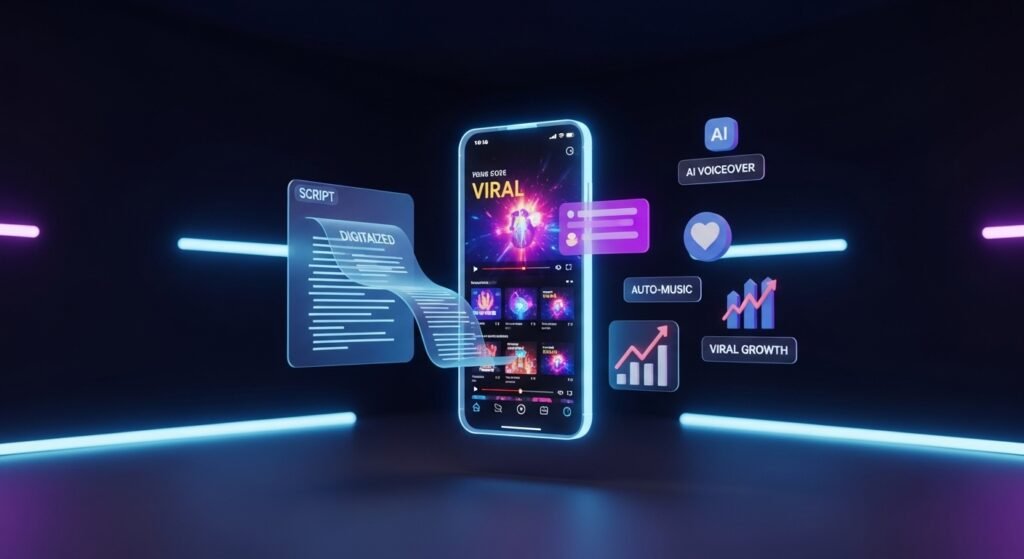
The digital world is flipping the script on how we make videos. You don’t need a fancy camera or a Hollywood budget anymore. AIcut Pro is the game changer that everyone is talking about right now. It is a web-based powerhouse that turns simple text into high-energy videos. This tool is perfect for creators who want to win big on TikTok and YouTube. You can stay behind the scenes and still go viral with ease. The era of manual editing is fading out fast. AI is taking the wheel to help you grow your brand. This guide will show you how to master this incredible tech today.
Introduction to the AI Video Revolution
We are living in a fast-paced era of content creation. Most creators used to spend days editing one single video clip. Now, AI-driven automation has slashed that time down to mere minutes. Short-form video is the king of the internet in this decade. Platforms like TikTok and Instagram Reels drive most of the global web traffic. If you are not making shorts, you are missing out on millions. AIcut Pro helps you jump into this trend without any technical stress. It handles the heavy lifting so you can focus on big ideas.
The Shift from Manual Editing to AI Automation
Manual editing requires expensive software and a lot of patience. You have to cut clips and sync audio by hand. AI tools have changed the game by doing this automatically. These tools can recognize the best parts of a video instantly. They can also add effects and transitions without any human input. This shift allows anyone to become a creator overnight. You no longer need a degree in film to make quality art. Efficiency is the new secret weapon for successful digital influencers.
Why Short-Form Video is the Primary Driver of Digital Growth
People have very short attention spans in the modern world. They want quick entertainment that gets straight to the point. Short-form videos provide instant value in under sixty seconds. Algorithms favor these videos because they keep users on apps longer. Viral growth is much easier to achieve with a 15-second clip. You can reach a global audience with just one lucky upload. Brands are now pouring billions into short-form video marketing strategies. This is the best time to start your video journey.
The Emergence of Faceless Channels as a Sustainable Business Model
Many people want to be creators but hate being on camera. Faceless channels are the perfect solution for shy or busy people. You can build a massive following using only voiceovers and stock footage. These channels are easy to scale because they don’t rely on one person. You can run ten different channels at the same time. This model is very sustainable for long-term passive income. AIcut Pro is specifically built to support this faceless content style. It makes the process of building a digital empire very simple.
Understanding AIcut Pro: The All-in-One Solution
AIcut Pro is not just another basic video editor on the web. It is an innovative web application for modern content creators. The tool specializes in turning text into engaging short videos effortlessly. You don’t need to download huge files to your computer. Everything happens in your browser with just a few clicks. It is designed to maximize your impact on social media platforms. This is the ultimate tool for the modern “ghost” creator.
Overview of the AIcut Pro Web Application
The interface is clean and very easy for beginners to navigate. You can access it from any device with an internet connection. It uses advanced AI algorithms to process your requests quickly. The dashboard gives you all the tools in one central place. You can manage multiple projects without getting confused or overwhelmed. It is built to be fast, reliable, and very powerful. Creators love it because it saves them hours of boring work. It truly is a one-stop shop for viral video production.
The Core Mission: Turning Simple Text into High-Impact Viral Content
The goal of this tool is to democratize high-quality video production. You only need a script or a basic idea to start. The AI takes that text and finds matching visuals for you. It ensures that the final product looks professional and polished. High-impact content is about keeping the viewer’s eyes on the screen. AIcut Pro uses data-backed methods to ensure your videos are “sticky”. It aims to help small creators compete with big media companies. Your ideas now have the power to reach millions instantly.
Why Accessibility and Web-Based Tools Matter for Modern Creators
Most professional video tools require a very expensive and powerful computer. Web-based tools like AIcut Pro remove that financial barrier. You can edit a viral video while sitting at a coffee shop. It allows for a more flexible and mobile lifestyle for creators. Updates to the software happen automatically in the cloud every day. You never have to worry about old versions or system crashes. This accessibility means the best ideas win, not the best equipment. It levels the playing field for everyone around the world.
Core Features of AIcut Pro

The features inside this tool are built for speed and quality. Each function is designed to solve a specific problem for creators. Whether you need a script or a finished clip, it helps. The tool covers the entire lifecycle of a short-form video. It acts like a full production team in your pocket. You can generate, edit, and post within one single session. Here are the main pillars that make this tool so effective.
AI-Powered Text-to-Video Engine
The text-to-video engine is the heart of the entire application. It translates your written words into a visual storyboard automatically. The AI understands the context and mood of your writing. It then selects the best clips and images to tell that story. This removes the need for manual searching through stock libraries.
- Smart Contextual Matching ensures your visuals always make sense with your script.
- Generative Scene Selection creates a diverse and interesting visual flow for viewers.
- Rapid Rendering means your video is ready to watch in just a minute.
Advanced AI Caption Generator
Captions are essential because many people watch videos with the sound off. The AI caption generator transcribes your audio with extreme accuracy. It can handle different accents and fast-paced talking styles. You can choose from many trendy styles seen on viral videos. This feature increases your watch time and helps with accessibility.
- Auto-Transcription saves you from typing out every single word by hand.
- Dynamic Styling allows you to add colors and animations to your text.
- Highlighting Keywords helps grab the viewer’s attention during the most important parts.
AI Content and Short Clips Generation
Sometimes you have a long idea that needs to be broken down. The AI content generator helps you create multiple clips from one concept. It identifies the most exciting moments that are likely to go viral. This allows you to fill your content calendar for a whole week. You can produce a high volume of content without burning out.
- Hook Identification finds the perfect opening line to stop the scroll.
- Bite-Sized Formatting ensures the clips fit the vertical screen perfectly.
- Batch Processing lets you create several videos at the exact same time.
AI Repurpose Assistant
If you already have long videos, you can turn them into shorts easily. The repurpose assistant finds the “gold” in your existing content. It crops the video to fit platforms like TikTok and Reels. This is the best way to get more value out of your old work. You can reach a new audience without making anything from scratch.
- Smart Cropping keeps the main subject in the center of the frame.
- Content Refreshing adds new captions and music to old clips.
- Cross-Platform Optimization adjusts the video for different social media specs.
The Art of Faceless Video Creation
Making videos without showing your face is a true art form. It relies on great storytelling and beautiful visuals to win. Many of the biggest channels on YouTube are completely faceless. This niche allows you to focus on the message rather than the person. It is a very scalable way to build a personal brand or business. AIcut Pro provides the specific tools needed to make this look professional. You can lead a movement without ever taking a selfie.

Why Go Faceless?
Privacy is a major concern for many people on the internet today. Going faceless lets you keep your private life separate from your work. You don’t have to worry about your hair or makeup every day. It also makes your channel more valuable if you ever want to sell it. The audience connects with the information rather than the creator’s face.
- Anonymity and Security protect your identity from the general public.
- Extreme Scalability allows you to hire others to run the channel for you.
- Lower Stress means you don’t feel the pressure of being a “celebrity.”
Creating Personas without a Face
You can still have a “personality” on your channel without showing yourself. AI avatars and unique voiceovers create a recognizable brand identity. You can use a specific style of stock footage to build a vibe. Consistency in your visual choices helps people remember your content. This builds trust with your audience over a long period of time.
- Digital Avatars can act as the “mascot” for your video content.
- Branded Visual Styles use consistent colors and fonts to stay recognizable.
- Niche Storytelling focuses on deep topics that the audience cares about.
Automated Post-Production and Editing
Post-production is usually where most creators get stuck and quit. AIcut Pro automates the most boring parts of the editing process. It handles the audio, the cuts, and the final polish for you. This means you can go from an idea to a finished file very fast. The software ensures that every video meets a high professional standard. You get the quality of a pro editor without the high cost.
AI Voiceovers and Speech Synthesis

You don’t need a professional microphone or a quiet studio anymore. The AI voiceovers sound incredibly human and carry a lot of emotion. You can choose from hundreds of different voices and accents. This is great for reaching people in different countries and cultures. The pacing of the speech is adjusted to match the visual speed.
- Human-Like Tones avoid the “robot” sound of old computer voices.
- Global Language Support lets you narrate videos in dozens of languages.
- Custom Pacing allows you to speed up or slow down the narration easily.
Intelligent Background Music and Sound Effects
Music sets the mood and keeps the energy high in short videos. AIcut Pro automatically picks music that matches the theme of your video. It ensures that the music is royalty-free so you don’t get banned. The sound levels are balanced so the voice is always clear. Good sound design makes a video feel much more expensive and professional.
- Mood Detection picks happy, sad, or intense music based on your script.
- Copyright Protection ensures your videos can be monetized without issues.
- Auto-Mixing perfectly blends the background music with the voiceover tracks.
Automated Video Editing Algorithms
The AI algorithms act like a director in the editing room. They know exactly when to cut to a new scene to prevent boredom. They add transitions that keep the flow smooth and interesting. Visual effects are placed at the right moments to emphasize key points. This “smart editing” is what makes videos go viral on modern apps.
- Retention Editing keeps viewers watching until the very last second.
- Smooth Transitions prevent jarring jumps between different video clips.
- Auto-Formatting ensures the video is always in the correct vertical aspect ratio.
Optimizing for Social Media Success
Creating a great video is only half of the battle for success. You also need to know how to share it with the world correctly. AIcut Pro is built with a social-first mindset for maximum reach. It understands the different rules for each major video platform. This help ensures your content doesn’t just sit there with zero views. You can optimize every single upload for the best possible results.
Tailoring Content for Platforms

Every social media app has its own unique “culture” and vibe. What works on TikTok might not work as well on YouTube Shorts. You need to adjust your style to fit where your audience lives. AIcut Pro makes it easy to create different versions for each app. This strategy helps you dominate the entire social media landscape at once.
- TikTok Optimization focuses on high energy and very fast editing styles.
- YouTube Shorts rewards high-resolution visuals and clever loops.
- Instagram Reels benefits from aesthetic beauty and trending audio clips.
Maximum Impact Strategies
To go viral, you need to use every tool available to your advantage. Direct posting features save you time and keep your workflow very clean. AI can suggest the best hashtags to help the algorithm find you. Choosing the right thumbnail can double your views in a single day. These small details add up to huge growth over time.
- One-Click Publishing sends your video to social apps instantly.
- AI Hashtag Suggestions improve your searchability and reach new fans.
- Engagement Insights help you understand what your audience likes the most.
Multilingual Support and Global Reach
The internet has no borders, and your videos shouldn’t either. AIcut Pro allows you to speak to the entire world in their native tongue. This opens up massive opportunities in international markets. You can take one idea and translate it into ten different languages. This is how you build a truly global brand from your desk.
Breaking Language Barriers
Translating videos manually is almost impossible for a single person. The AI handles the translation and the new voiceover at the same time. It can translate your captions into Spanish, German, Japanese, and more. This helps you reach people who don’t speak your primary language. It is a powerful way to grow your subscriber count very quickly.
- Spanish Localization targets one of the largest growing audiences online.
- Japanese and Korean Support helps you enter the high-tech Asian markets.
- German and Russian Options expand your reach across the European continent.
Localization vs. Translation
Good localization is more than just swapping the words around. It involves understanding the local trends and cultural references. The AI algorithms help you tweak your content to fit different regions. This makes your international audience feel like the video was made for them. Personalized content always performs better than generic translations.
- Cultural Context ensures your jokes and references make sense locally.
- Regional Trend Matching connects your video to what is popular in that country.
- Native Voice Selection uses the correct local accents for better trust.
Comparing AIcut Pro with the AI Video Ecosystem
There are many AI tools out there, but they are not all equal. Some are good for one thing but fail at the rest of the process. AIcut Pro aims to be the most complete solution for shorts. It works well with other tools if you want to get advanced. Understanding how it fits into the bigger picture is very important.
Synergy with Other AI Tools
You can use a mix of tools to create a unique “super-video.” Use image generators to create custom backgrounds that no one else has. Combine SEO tools with your video script for better search rankings. The best creators use a “stack” of AI tools to save time. AIcut Pro is the perfect center for this creative ecosystem.
- Image Generation Integration lets you use custom art in your videos.
- SEO Copywriting Tools help you write scripts that rank on Google.
- Background Removers allow you to layer different visual elements together.
Why AIcut Pro Stands Out
The main advantage is the focus on “faceless” and “short” formats. Many other tools are too complicated for the average user. AIcut Pro keeps things simple so you can actually finish your projects. It balances professional power with an easy-to-use interface. The speed of the rendering is also a major win for busy people.
- Extreme Ease of Use means you don’t need a tutorial to start.
- Affordable Pricing makes it accessible for small creators and hobbyists.
- Community Trusted with high ratings and thousands of active daily users.
Practical Use Cases for AI Video
Who actually uses these tools to make a living today? The answer is almost everyone in the digital marketing space. From small business owners to teachers, the uses are endless. Video is the best way to explain a point or sell a product. AI makes these use cases possible for people with zero budget.

For Marketers and Brands
Brands need to put out a lot of content to stay relevant today. AI allows them to create ads and social posts in massive batches. You can test different versions of an ad to see what sells best. This “high-frequency” marketing is only possible with AI automation. It lowers the cost of acquiring new customers significantly.
- Viral UGC Ads look like real user posts but drive huge sales.
- Product Explainers turn boring text descriptions into fun videos.
- Brand Storytelling helps build an emotional connection with fans.
For Educators and Students
Learning is much easier when you have visual aids to help. Teachers can turn long lessons into quick “study shorts” for students. Students can use AI to summarize complex topics for their own review. This makes education more engaging and accessible for everyone. Visual learning is often the most effective way to remember facts.
- Study Guides turn textbook chapters into 60-second video summaries.
- Language Learning uses audio and text together for better retention.
- Complex Topic Breakdown simplifies hard subjects like science or math.
For Solo Entrepreneurs and Side Hustlers
If you have a full-time job, you don’t have time to edit videos. AI allows you to start a side hustle in just thirty minutes a day. You can build a YouTube channel that pays you every single month. This is the ultimate way to build “digital real estate” without a face. Many people are making thousands of dollars with this exact method.
- Automated News Channels report on daily trends using AI scripts.
- Motivational Shorts use high-energy clips to inspire millions.
- Affiliate Marketing creates product reviews that earn commissions.
Future Trends in AI Video Generation
Technology is moving faster than we can even imagine. What is possible today will look basic in just one or two years. We are moving toward a world where AI can create entire movies. Staying ahead of these trends will give you a massive advantage. AIcut Pro is positioned to grow with these new advancements.
The Evolution of Video Realism
Early AI videos looked a bit strange or “uncanny” to viewers. Newer models like Kling and Veo are creating photorealistic scenes. Soon, you won’t be able to tell if a video is real or AI. This will open up even more creative doors for faceless channels. You can “film” in locations that don’t even exist in reality.
- Photorealistic Text-to-Video creates stunning scenes from thin air.
- Advanced Physics Simulation makes movement look natural and real.
- Consistent Character Design keeps the same look across many clips.
Interactive and Multi-Modal AI
The next step is videos that can talk back or change based on the user. Multi-modal AI can understand text, images, and audio all at once. This will make the creation process even more conversational and fun. You will be able to “chat” with your video editor to make changes. The boundary between creator and machine is getting thinner every day.
- Conversational Editing lets you give voice commands to change clips.
- Real-Time Audio Sync ensures voices match lip movements perfectly.
- Agentic Workspaces where AI manages your entire social media schedule.
Conclusion: Starting Your AI Video Journey
The power to reach the world is now sitting in your web browser. AIcut Pro is the key to unlocking viral success without the headache. You don’t need to be an expert to start making great videos today. The most important thing is to just take the first step and try. Automation is the future of the creator economy, so don’t be left behind. Leverage these tools to stay competitive and grow your unique brand. Your journey to becoming a viral sensation starts with a single click.
Frequently Asked Questions about AIcut Pro
Can I use AIcut Pro on my mobile phone?
Yes, you can use this tool on any modern smartphone. It is a web-based app that runs in your mobile browser. You do not need a high-end computer to make viral shorts. This makes it easy to create content while you are on the go.
Does AIcut Pro offer a free trial for new users?
Most users can start with a free trial to test the features. This allows you to see how the AI turns your text into video. You can explore the dashboard and try out the caption tools. It is a great way to learn the system before paying for a plan.
Can I upload my own voice recordings to the platform?
You can definitely use your own voice if you prefer it over AI voices. The tool allows you to sync your personal audio with the generated visuals. This is perfect for creators who want a very specific personal touch. It helps keep your brand unique while using AI for the editing.
Is the content created by AIcut Pro eligible for monetization?
The videos you make are fully eligible for monetization on YouTube and TikTok. Since the tool uses royalty-free assets, you won’t face copyright strikes. You can earn ad revenue from your faceless channels without any legal worries. This makes it a sustainable business tool for long-term growth.
How many languages does the AI voiceover feature support?
The platform supports dozens of global languages for narration. You can choose from English, Spanish, French, German, and many Asian languages. This helps you reach an international audience with just one script. It is one of the best ways to grow a global following quickly.
Can I edit the captions after the AI generates them?
You have full control over the text after the initial generation. If the AI makes a small mistake, you can fix it in the editor. You can also change the font, color, and size of the captions. This ensures your video looks exactly how you want it to look.
What is the maximum length of a video I can create?
The tool is optimized for short-form content under sixty seconds. However, you can often create slightly longer clips depending on your subscription plan. It focuses on the vertical format that performs best on social media. This keeps your content snappy and highly engaging for viewers.
Does AIcut Pro provide a library of stock footage?
Yes, the tool comes with access to a massive library of high-quality clips. You do not need to film anything yourself or buy extra footage. The AI picks the best scenes from this library to match your story. It saves you hundreds of dollars on stock site subscriptions.
Can I save my projects and come back to them later?
Your work is automatically saved in the cloud as you go. You can start a video on your laptop and finish it on your tablet. This flexibility is perfect for busy creators who work in small bursts. You never have to worry about losing your progress if your browser closes.
Do I need any previous video editing experience?
You do not need any technical skills to use this platform successfully. The AI handles the transitions, timing, and audio mixing for you. If you can type a text message, you can make a video with this tool. It is designed to be user-friendly for absolute beginners.
Can I add my own brand logo to the videos?
The editor allows you to upload and place your logo in any corner. This is important for building brand awareness and preventing content theft. Your logo will stay consistent throughout the entire video. It gives your faceless channel a professional and established feel.
How does the AI choose the background music?
The system analyzes the mood and keywords in your text script. If your script is exciting, it will pick a high-energy track. If the topic is serious, it will choose something more calm. This automated selection ensures the “vibe” of your video is always perfect.
Is there a limit to how many videos I can make per month?
The number of videos depends on the specific plan you choose to buy. There are options for casual creators and high-volume power users. Even the basic plans allow for a significant amount of content creation. You can scale your output as your channel starts to grow.
Can I export my videos in 4K resolution?
The tool supports high-definition exports that look great on all screens. Most short-form platforms prefer 1080p, which the tool handles perfectly. This ensures your videos are crisp and clear for your viewers. High quality is a key factor in going viral on modern algorithms.
Does the tool work for LinkedIn and Pinterest videos?
While it is built for TikTok and Reels, the videos work great on any platform. You can use the vertical clips for Pinterest Idea Pins or LinkedIn videos. This allows you to repurpose your content across every social network. It is a great way to maximize your digital footprint.
Is there a community or support team if I get stuck?
The platform usually offers customer support to help with any technical issues. Many users also share tips and tricks in online creator communities. You can find tutorials and guides to help you master the advanced features. You are never truly alone on your creative journey.
Can I use the AI to write my video scripts?
Some versions of the tool include an AI writer to help you brainstorm ideas. You can give it a topic, and it will generate a viral-style script for you. This solves the problem of “writer’s block” for many creators. It makes the entire process from idea to video fully automated.
How often are new features added to AIcut Pro?
The development team updates the web app frequently to stay ahead of trends. New AI models and visual styles are added to keep the content fresh. You get access to these updates automatically through your browser. This ensures your videos never look outdated or old-fashioned.
Is my personal data and content secure on the platform?
The platform uses standard encryption to keep your account and projects safe. Your scripts and videos are private unless you choose to share them. You own the rights to the content you create using the tool. This gives you peace of mind while building your business.
Can I change the aspect ratio for horizontal videos?
The primary focus of the tool is vertical 9:16 video for mobile apps. However, some settings allow you to adjust the frame for different needs. It is best used for the “shorts” format where the most growth is happening. This specialization is why the tool is so effective at creating viral hits.