 Skip to content
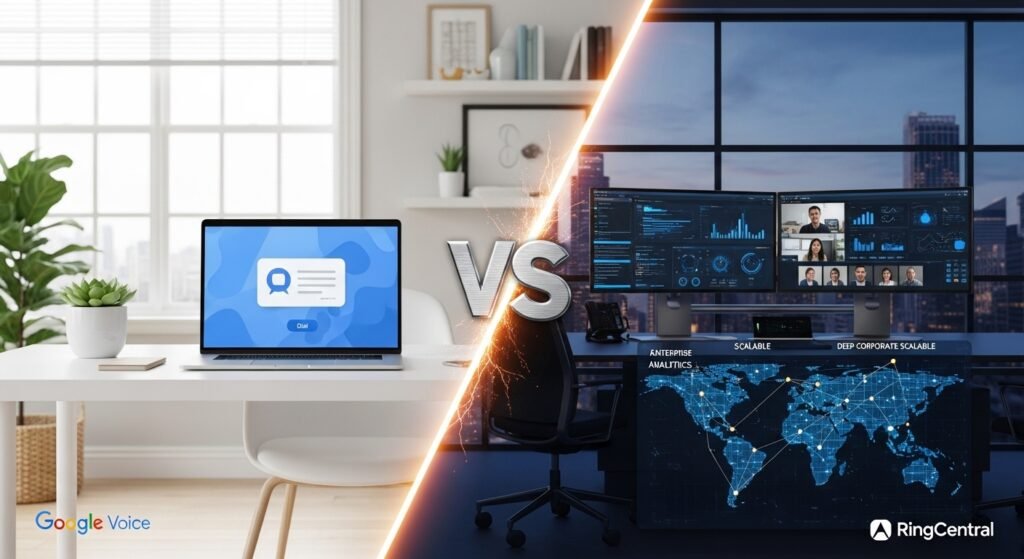
Picking a phone system for your business used to be easy. You just called the local phone company, and they hooked you up. Now you have to choose between massive tech giants like Google and industry pros like RingCentral. This comparison of Google Voice vs RingCentral will help you decide which one is the real deal for your team. We are going to break down every detail so you do not waste a single dime.
Comprehensive Overview of Google Voice and RingCentral
Google Voice keeps things very chill and simple for users. It feels just like the apps you already use on your phone every day. RingCentral is much more like a high-powered engine built for heavy lifting. It is made for companies that want to grow fast and need tons of tools. One is a quick fix, while the other is a total communication platform.
Most freelancers or tiny startups love the vibe of Google Voice. It does not ask for much and gets the job done without any fuss. Mid-market companies or huge enterprises usually go for RingCentral. They need things like call queues and deep data to keep things moving. Understanding your own size is the first step in this choice.
The way we talk at work has changed a lot lately. Everyone is working from home or from a coffee shop these days. VoIP systems make it so you can take your office phone anywhere you go. Google and RingCentral both use the internet to make these calls happen. It is the modern way to stay connected without being tied to a desk.
Strategic Selection: Which Solution Fits Your Business?

Finding the right fit is about more than just the monthly price. You need to think about how your team actually works every day. Some people just want to dial a number and talk. Others want to chat, video call, and share files all at once. Let us see which side of the fence you land on.
We Recommend Google Voice if You Need:
- Cost-Efficiency: You can get started for only ten dollars a month per person.
- Native Google Workspace Integration: It works perfectly with your Gmail and Google Calendar.
- Streamlined Simplicity: There is no long manual to read to figure it out.
- Unlimited Domestic Communication: You can call and text anywhere in the US for free.
We Recommend RingCentral if You Need:
- All-in-One Unified Communications (UCaaS): You get voice, video, and team chat in one single app.
- Advanced Call Management: Managers can listen in on calls to help train new staff.
- Extensive Third-Party Integrations: It connects to over two hundred apps, such as Salesforce or Slack.
- Global Presence: You can get local numbers in dozens of different countries.
- Enterprise-Grade Reliability: They promise the system will work 99.999% of the time.
In-Depth Feature Comparison

Now we are going to look under the hood of both systems. This is where you see the big differences in Google Voice vs RingCentral. Features make or break your daily workflow when things get busy. You want a system that makes your life easier, not harder.
Voice Calling and Phone System Management
Google Voice is great at blocking those annoying spam callers. It uses smart AI to keep the junk away from your phone. You also get your voicemails turned into text so you can read them. This saves a lot of time when you are in meetings. It is basic, but it works really well for most people.
- AI-powered spam call blocking: Google keeps the robots from ringing your phone.
- Automatic voicemail transcription: Read your messages instead of listening to them.
- Ad-hoc call recording: You can record calls on the fly with the better plans.
- Domestic local number selection: Pick a number that matches your local area.
RingCentral takes voice calling to a much higher level. The sound quality is super clear because they use HD voice. You can also flip a call from your computer to your phone. This means you can start a call at your desk and finish it in your car. It is built for people who are always on the move.
- HD Voice quality: The calls sound crystal clear on every single device.
- Call Flip: Move your active calls between devices with one single tap.
- Toll-free and Vanity numbers: Get a 1-800 number to look more professional.
- Visual voicemail: See all your messages in a list like an email inbox.
- Professional greetings: Record high-quality messages for when you are away.
Video Conferencing Solutions
Google Voice uses Google Meet for all its video needs. Since most people already know how to use Meet, it is very easy. You can have up to five hundred people in one single meeting. It has all the basics like screen sharing and hand raising. It is a solid choice for teams that do not need fancy extras.
- Participant limits: You can host between one hundred and five hundred people.
- Meeting duration: Your meetings can last for up to twenty-four hours.
- Standard collaboration: Use whiteboards and polls to keep everyone engaged.
RingCentral has its own video platform that is packed with AI. It can block out background noise like a barking dog or a mower. It even types out what everyone says in real time. They also have something called a Team Huddle room. This is a video room that stays open all day for quick chats.
- AI-driven features: Get live captions and summaries of every meeting.
- Team Huddle: Join a persistent room for casual talk anytime.
- Advanced security: Everything is locked down with high-level encryption.
- Presentation mode: Stay on the screen while you share your slides.
Auto-Attendant and IVR (Interactive Voice Response)
The auto-attendant is the “press one for sales” feature. Google Voice lets you set this up with a computer voice. You just type what you want it to say, and it speaks it. It is very simple to map out where the calls should go. This is perfect for small shops that need a professional front.
- Text-to-speech engine: Type your menu, and the computer reads it out.
- Simple call routing: Send callers to a group of phones or a voicemail.
RingCentral has a much more advanced system for this. You can use a visual editor to draw out your call path. It looks like a map and helps you see exactly what happens. You can have up to two hundred and fifty different menus. This is how big companies handle thousands of calls every day.
- Visual IVR editor: Draw your call flows to make them easy to follow.
- Dial-by-name directories: Let callers find employees by typing their name.
- Sub-menus: Create deep layers of options for large organizations.
Analytics, Reporting, and Insights
If you want to know how your team is doing, you need data. Google Voice gives you basic logs of who called whom. If you pay for the top plan, you can use BigQuery. This lets you dig deep into the numbers if you know how. It is mostly for people who love spreadsheets and complex data.
- Basic activity logs: See the history of all calls and texts made.
- BigQuery integration: Connect your data to Google’s advanced tools.
RingCentral gives you a live dashboard that updates every second. You can see how many people are on hold right now. It shows you if your call quality is dropping, so you can fix it. Managers can even set up alerts for when things get too busy. It is the best way to run a professional call center.
- Live dashboards: Watch your team’s performance in real time.
- Quality of Service monitoring: Make sure every call sounds great.
- Custom report scheduling: Get stats sent to your email every morning.
Team Collaboration and Messaging
Messaging is a huge part of work life now. Google Voice relies on Google Chat for this part. You can send files from your Drive directly in the chat. It works well because everyone knows how to use it. It keeps all your Google stuff together in one place.
- Google Chat utilization: Message your team through the standard Google app.
- Shared files: Send links to your Docs or Sheets instantly.
RingCentral has its own messaging built right into the phone app. You do not have to switch between different apps to talk. You can also assign tasks to people right in the chat. It even lets you share files and keep them in folders. It is a total workspace that lives on your screen.
- Built-in team chat: Message, call, and video from one single window.
- Task management: Give your team “to-do” items inside the chat.
- Collaborative notes: Take notes together while you are on a call.
Security, Compliance, and Data Privacy

Keeping your business data safe is a top priority. Hackers are always looking for ways to get in. Both systems take this very seriously to protect you. In the world of Google Voice vs RingCentral, security is tight. You need to know which one follows the rules for your job.
Data Protection Standards
Google uses the same security it uses for Gmail. It is some of the best in the whole world. They encrypt your calls so people cannot listen in. You also have to use multi-factor login to get in. This means a hacker would need your physical phone, too.
RingCentral also has very high levels of protection. They use dynamic encryption that changes all the time. This makes it almost impossible for someone to break in. They offer single sign-on, so you use one work login. It keeps everything simple and safe for large teams.
Industry-Specific Compliance
If you work in healthcare, you need HIPAA compliance. RingCentral is fully set up for this out of the box. Google Voice can be compliant if you set it up right. You have to sign a special agreement with Google first. It is important to check this before you start.
- HIPAA Compliance: Both can work for doctors and clinics if configured.
- FINRA/SEC Compliance: RingCentral is better for archiving financial talks.
- GDPR: Both follow the strict rules for data in Europe.
The Role of Artificial Intelligence (AI)

AI is the newest thing in business phones. It does the boring work so you don’t have to. RingCentral is currently winning the AI race with more tools. Google is catching up fast with its Gemini system. Let us see how AI helps you every day.
AI in RingCentral (RingSense)
RingSense is a smart AI tool that listens to sales calls and scores them. It can tell if a customer is happy or sad and writes a quick summary of the meeting. This saves managers a ton of time by doing the heavy lifting for them.
- Automated summaries: Get a short version of every long meeting.
- Sentiment analysis: Know if your customers are actually liking your service.
- Smart noise cancellation: Block out all the distracting noises around you.
AI in Google Voice (Gemini Integration)
Google is slowly adding Gemini AI to its voice app. Right now, it mostly helps with spam and texting. It can suggest quick replies when you are busy. It also does a great job of transcribing voicemails. In the future, it might even write emails from calls.
- Smart replies: Send fast texts with one tap of a button.
- Enhanced spam detection: Google knows which calls are fake robots.
- Future Gemini tools: Expect more meeting summaries coming very soon.
Integration Ecosystem and Hardware Compatibility
How your phone talks to your other apps matters. You do not want to copy and paste numbers all day. This is a huge part of the Google Voice vs Ringcentral debate. One is a closed box, and one is an open door. Your choice here will change how you work daily.
Software Integrations
Google Voice stays inside the Google family of apps. It works great with your Google Calendar for scheduling. But it does not really talk to outside apps like Salesforce. This is the “walled garden” approach Google takes. It is perfect if you only use Google Workspace tools.
RingCentral is the king of connecting to other apps. It can link up with over two hundred different software programs. When a customer calls, their info pops up in your CRM. This makes you look like a pro to your clients. It is built to be the center of your software.
Hardware and Desk Phone Support
If you still like a physical phone, you need hardware. Google Voice is very picky about what phones it uses. It only works with a few specific models from Poly. Most people just use the app on their cell phone. It is not the best choice for a big office.
RingCentral works with almost every business phone out there. You can use Cisco, Poly, or Yealink phones with it. They even let you bring your old phones if they fit. This is much better for companies with physical offices. It gives you the most freedom to choose hardware.
- Google Hardware: Only works with a few Poly and OBi models.
- RingCentral Hardware: Supports over sixty different professional phone models.
Reliability and Service Continuity
Your phone system must work every single time. A missed call can mean a lost customer forever. Reliability is not just a perk; it is a requirement. Both companies spend billions to keep the lights on. But they have different ways of handling big problems.
Uptime and SLAs
RingCentral promises “five nines” of uptime for its users. This means it only goes down for a few minutes a year. They have data centers all over the world to back up. If one goes down, another one takes over instantly. This is why big banks and hospitals use them.
Google Voice is also very reliable because it is Google. They do not talk as much about the “five nines” promise. But we all know Google apps almost never go down. It uses the same massive cloud that runs the internet. You can trust that it will ring when needed.
Customer Support Access
When things break, you need someone to talk to. Google Voice support is mostly through a web portal. You might have to wait for an email reply. It can be frustrating if you have a big emergency. But their help guides are very detailed and clear.
RingCentral offers 24/7 phone support to most of its users. You can call a real person at any hour. For big companies, they even give you an account manager. This person knows your business and helps you personally. It is a much more “white glove” style of service.
Use Case Scenarios
Every business has different needs for its phone system. A plumber does not need what a lawyer needs. Let us look at a few examples of how people use them. This might help you see yourself in these stories. It makes the choice feel a lot more real.
For the Remote Real Estate Agency
Real estate agents are always out showing houses to people. They need to be reachable on their cell phones constantly. RingCentral is great because of the professional auto-attendant menus. A caller can press one for rentals or two for sales. It keeps a small team looking like a big firm.
For the Scaling E-commerce Brand
If you sell stuff online, you get lots of questions. You want to see the customer’s order when they call. RingCentral connects to your store and shows you the info. This lets you help people faster and more accurately. It turns your phone into a powerful customer service tool.
For the Local Small Business
Small shops like painters or consultants love Google Voice. They just want a separate number for their work life. It keeps their private cell number safe from random callers. And the price is so low it barely costs anything. It is the perfect side-hustle or small shop companion.
Detailed Pricing and Plan Breakdown
Money is usually the biggest factor in any business choice. You need to know the total cost before signing. Google Voice is simple, while RingCentral has more tiers. Make sure you look at the annual vs monthly prices. Sometimes you can save big by paying for a year.
Google Voice Tiers
- Starter Plan: Ten dollars a month for up to ten people.
- Standard Plan: Twenty dollars a month for unlimited people and menus.
- Premier Plan: Thirty dollars a month for advanced data and global use.
RingCentral Tiers
- Core Plan: Around twenty dollars a month for the basics.
- Advanced Plan: Around twenty-five dollars for CRM tools and monitoring.
- Ultra Plan: Around thirty-five dollars for max storage and analytics.
Weighing the Pros and Cons
Every system has its ups and its downs. No one system is perfect for every single person. You have to decide what you can live with. This quick summary will show you the trade-offs clearly. It is the best way to make a final call.
RingCentral: The Powerhouse
- Strengths: It has every feature you could ever possibly want.
- Strengths: It is super safe and almost never goes down.
- Weaknesses: It costs more than Google and can be complex.
- Weaknesses: You have to pay more for the really good features.
Google Voice: The Practical Choice
- Strengths: It is incredibly easy to set up and use daily.
- Strengths: The price is very fair for what you get.
- Weaknesses: It does not talk to your other non-Google apps.
- Weaknesses: It lacks the advanced tools for big call centers.
Implementation and User Experience
Setting up a new phone system should not take weeks. Google Voice takes about five minutes if you have Workspace. You just pick a number and assign it to a user. It is almost too easy to be a business tool. Most people find the mobile app very intuitive and fast.
RingCentral setup takes a little bit more time and effort. You have to build your call menus and upload greetings. They have an onboarding team to help you through it. Once it is set up, it runs like a dream. The desktop app is very powerful for heavy office use.
Migration Guide and Onboarding
Do not be afraid to switch your phone system. You can keep your old number through a process called porting. Both companies will help you bring your number over safely. It usually takes about a week for the switch. Just don’t cancel your old service until the port is done.
- Step-by-Step Porting: Fill out a form and let them do the work.
- Training Your Team: Give them a quick tour of the new app.
- Network Requirements: Make sure your internet is fast enough for calls.
Final Verdict and Summary
So, who wins the Google Voice vs RingCentral battle? It really depends on who you are as a business. If you are a solo pro on a budget, go to Google. It is simple, cheap, and gets the job done well. You will not regret the ease of use it offers.
If you have a growing team and need data, go to RingCentral. It is the gold standard for business phone systems today. The extra cost pays for itself in time and tools. You will have a system that grows as big as you do. Both are great choices for 2026 and far beyond.
Frequently Asked Questions
Can I use Google Voice and RingCentral together on the same phone?
Yes, you can have both apps installed on a single mobile device. However, you should disable “Call From Android Dialer” in the RingCentral settings to prevent it from conflicting with Google Voice. This ensures that both apps can function without one overriding the other’s incoming call notifications.
Does Google Voice support toll-free numbers?
No, Google Voice only offers local phone numbers. If your business requires a 1-800 or 1-888 number to appear more professional or national, RingCentral is the better choice. RingCentral provides toll-free and vanity numbers across all of its business plans.
Is it possible to port a Google Voice number to RingCentral?
Yes, you can port your number, but Google Voice is technically classified as a “landline” carrier. This means the process might take 5 to 10 business days. You will need to “unlock” your number in the Google Voice settings and pay a small one-time fee to Google before RingCentral can take over the number.
Can I use RingCentral if my team already uses Google Workspace?
Absolutely. RingCentral has a dedicated integration for Google Workspace. This allows you to schedule RingCentral video meetings directly from Google Calendar and call contacts from your Gmail inbox. It offers a way to get advanced phone features while keeping your Google-based workflow.
Do I need a physical desk phone for either service?
No, both services are designed to work entirely through software apps. You can make and receive calls using your laptop, tablet, or smartphone. While RingCentral supports a much wider range of physical desk phones, they are completely optional for both providers.
How does Google Voice handle calls during an internet outage?
Since Google Voice is a cloud-based VoIP service, it requires an active internet connection to work. However, you can set up “Mobile Linking” to forward calls directly to your personal cell phone’s carrier number. This ensures you can still receive calls even if your office Wi-Fi goes down.
Does RingCentral offer a free version for small businesses?
RingCentral does not have a forever-free plan, but they do offer a 14-day free trial. Google Voice has a free personal version, but it is not recommended for business use. The personal version lacks a service level agreement (SLA) and does not comply with business privacy laws like HIPAA.
Which service is better for international businesses?
RingCentral is superior for global operations. It offers local phone numbers in over 45 countries and allows for international offices to be on the same system. Google Voice is primarily focused on US and Canadian users, with limited international number availability for Premier users only.
Can I record calls automatically with Google Voice?
Automatic call recording is only available on the Google Voice Premier plan. On the Standard plan, you can only record calls manually by pressing a button during the conversation. RingCentral offers automatic recording on its Advanced and Ultra plans, making it better for compliance-heavy industries.
Is RingCentral HIPAA compliant?
Yes, RingCentral is fully HIPAA compliant and will sign a Business Associate Agreement (BAA) with healthcare providers. Google Voice can also be HIPAA compliant, but only if you are using a paid Google Workspace account and have signed the BAA through the Google Admin console.
Can I send group texts with Google Voice?
Google Voice supports basic group texting, but it is limited to a small number of recipients. It is not designed for bulk marketing or mass messaging. RingCentral offers more robust SMS capabilities and allows for larger group chats and professional business messaging.
How long does it take to set up a new RingCentral account?
A basic RingCentral account can be activated in a few minutes. However, setting up complex features like the multi-level IVR, call queues, and user permissions usually takes a few days. RingCentral provides free onboarding specialists to help larger teams get through this process.
Does Google Voice offer a dial-by-name directory?
Google Voice does not currently offer a dial-by-name directory in its auto-attendant features. Callers must know the specific extension or select a number from a list. RingCentral includes a dial-by-name directory, which helps callers find specific employees in larger organizations.
Can I use my old analog phones with these systems?
You can use old analog phones with RingCentral if you buy an Analog Telephone Adapter (ATA). This device plugs into the wall and converts the signal to VoIP. Google Voice is much more restrictive and typically only works with modern IP phones from the Poly brand.
Does RingCentral have a limit on how many users I can add?
RingCentral can support thousands of users on a single account, making it highly scalable for growing enterprises. Google Voice’s Starter plan is capped at only 10 users. If your team grows beyond that, you are forced to upgrade to a more expensive tier immediately.
What happens to my messages if I switch from Google Voice to RingCentral?
When you port your phone number, your text message history and voicemails do not automatically move with it. You should export your data using Google Takeout before closing your account. This ensures you have a backup of your business records before the move.
Does either service support internet faxing?
RingCentral includes unlimited internet faxing on most of its business plans, allowing you to send faxes directly from your computer. Google Voice does not support faxing at all. If your business still deals with medical or legal documents that require fax, RingCentral is the clear winner.
Can I set up different office hours for different employees?
RingCentral allows for very detailed “Custom Rules” for every single user. You can set unique hours for when their phone should ring or go to voicemail. Google Voice has basic “Do Not Disturb” settings that follow your Google Calendar, but it is much less flexible for complex schedules.
Which platform is better for a professional call center?
RingCentral is the only choice of the two for a true call center. It includes “Whisper” and “Barge” features that allow managers to help agents during live calls. Google Voice lacks these supervisor tools and cannot handle high-volume call queues efficiently.
Do I get a free trial with Google Voice?
Google Voice for business does not typically offer a standalone free trial. However, since it requires a Google Workspace account, you can often use the 14-day trial period of Workspace to test how the two services work together before you start paying.
Compare Google Voice vs RingCentral pricing, AI features, and integrations. Find out which VoIP phone system is the right choice for your business in 2026.