
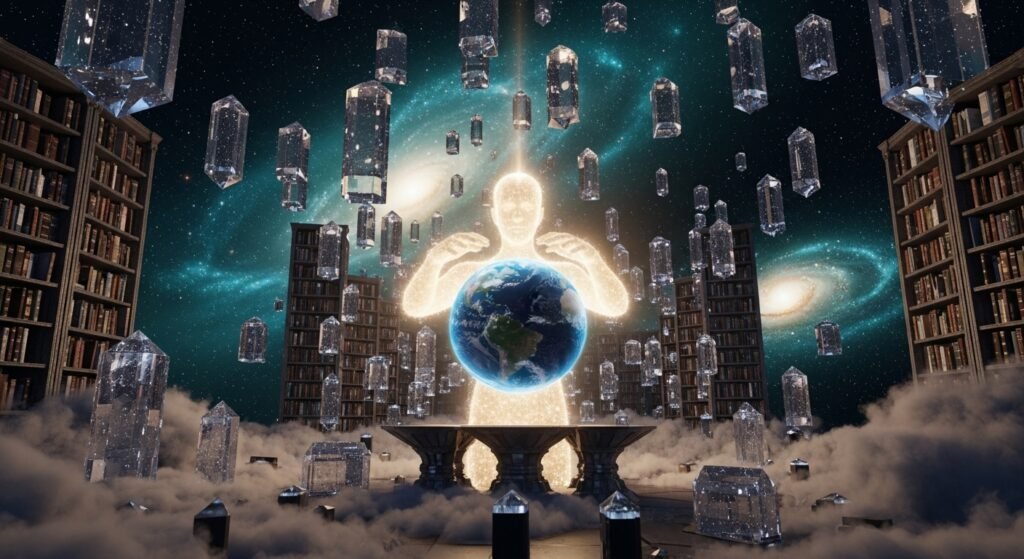
FrostingAI is a wild tool that turns your words into crazy good pictures. It uses super smart tech to change text into high-quality art in seconds. You do not need to be a pro artist to use this site. It is built for anyone who wants to make cool visuals without the hassle. This platform is changing how we think about making art online today.
The main goal here is to make art easy for every single person. You just type what you want and watch the magic happen. It is perfect for creators who need fast and pretty results. FrostingAI is leading the pack in the new world of AI art tools.
Introduction to FrostingAI
FrostingAI is a web-based image generator that is totally cutting-edge. It uses something called Stable Diffusion to make your ideas look real. You can make anything from a cat in space to a 3D city. It works right in your browser so you do not need a big computer.
The mission is to give everyone the power to create. You do not need to know how to draw or paint at all. This tool bridges the gap between your brain and the screen. It is part of a huge revolution in how we make digital stuff.
Digital art used to be really hard and took forever to learn. Now we have neural networks that do the heavy lifting for us. We have moved from clicking pixels to chatting with an AI. It is a massive shift in the creative world for sure.
The Technology Behind the Scenes
Stable Diffusion Integration
FrostingAI uses Stable Diffusion technology to power its brain. This tech is like a giant library of every image ever made. It learns how things should look by studying millions of pictures. Then it uses that info to build your specific request from scratch.
The generative models look at your text and start to “dream”. They see your words and figure out the best way to show them. This process creates high-resolution visuals that look professional. The math behind it is complex but the result is pure art.
Machine Learning and Latent Space
The AI navigates something called latent space to find your image. Think of it as a huge map of all possible visuals. The machine learning finds the spot on the map that fits your prompt. It then sharpens that spot until it becomes a clear picture.
- Data training helps the AI understand different artistic styles.
- Neural networks act like a human brain to process visual info.
- Algorithms ensure the final image has the right colors and shapes.
- Training data keeps the AI updated on what is trendy and cool.
Core Features and Functionalities
Text-to-Image Generation
FrostingAI is famous for its text-to-image generation. You can type in a long story or just a few words. The AI breaks down your sentence to find the hidden meaning. It looks at the emotion you want to show in the art.
The system aligns the final visual with your original vision perfectly. If you want it to feel sad or happy, the AI knows. It handles complex descriptions better than most other tools out there. You get a unique piece of art every single time.
Customizable Creativity
You have total control over how your image looks on FrostingAI. You can change the size of the picture to fit your needs. It lets you pick the resolution so it stays sharp and clear. You can even mess with the aspect ratio for different screens.
- Parameter adjustments let you tweak the technical details easily.
- Color palette control helps you set the mood of the art.
- Prompt strength tells the AI how much it should listen to you.
- Image size can be changed for social media or print.
Advanced Tools for Precision
The upscaling tool is a game changer for high-quality work. It takes a small, blurry draft and makes it huge and crisp. You can use negative prompts to tell the AI what to ignore. This keeps things like extra fingers or weird colors away.
Reference image support is another cool way to stay in control. You can upload a photo you like to help guide the AI. It will follow the style or the layout of your upload. This is great for keeping a character looking the same every time.
Efficiency and Workflow Enhancements
FrostingAI is built for people who are in a big rush. You can use batch generation to make many pictures at once. This helps you find the perfect version without waiting forever. The processing speed is lightning fast compared to old methods.
- Batch creation saves hours of work for busy designers.
- Fast processing gives you results in under twenty seconds.
- Cloud storage keeps all your past work safe and sound.
- Workflow tools make it easy to move from idea to download.
Master Prompting Strategies for FrostingAI
Mastering the art of communication with AI is the final step in becoming a digital art pro. While FrostingAI is powerful enough to understand basic phrases, knowing how to structure your commands will give you total control over the “baked” results.
Anatomy of a High-Performance Prompt
To get the best results, you should treat your prompt like a recipe with specific ingredients. A winning structure typically follows this order: Subject + Action + Environment + Lighting + Style + Quality Tags.
- Subject: Start with a concrete noun like “a majestic lion” or “a cyberpunk warrior” rather than abstract concepts.
- Action: Describe what the subject is doing, such as “leaping through a ring of fire” or “meditating in a neon-lit temple”.
- Environment: Set the scene by describing the background, such as “a misty mountain peak at dawn” or “a futuristic Tokyo street with wet pavement”.
- Lighting: Use specific terms like “cinematic lighting,” “volumetric fog,” or “golden hour” to instantly change the mood.
- Style: Define the artistic medium, such as “oil painting,” “3D render,” “anime style,” or “photorealistic”.
- Quality Tags: Finish your prompt with terms like “8k resolution,” “masterpiece,” or “hyper-detailed” to push the AI toward higher fidelity.
Using Weights and Negative Prompts
Once you have the basics down, you can use advanced syntax to fine-tune your vision. If you want the AI to focus more on a specific word, you can use weight adjustments like (sunset:1.5) to make the colors more vibrant.
- Emphasis: Wrap important words in parentheses to give them more “weight” in the final image.
- Exclusion: Use the negative prompt box to list things you don’t want, such as “blurry,” “extra fingers,” “text,” or “watermark”.
- Refining: If a face looks distorted, add “deformed face” or “asymmetric eyes” to your negative prompt and bake the image again.
Leveraging Reference Images
For projects that need a very specific look, reference image support is your best friend. Instead of relying only on text, you can upload an existing photo to serve as a visual guide.
- Style Matching: Upload a painting you love to tell the AI to use those exact colors and brushstrokes.
- Composition Control: Use a reference image to tell the AI exactly where the subject should stand in the frame.
- Consistency: If you are making a series of images, use the same reference photo to keep the lighting and atmosphere the same across every “bake”.
User Interface and Accessibility
Intuitive Design
The dashboard on FrostingAI is super clean and easy to use. You won’t get lost in a bunch of scary menus. Everything you need is right there in front of you. It was built so anyone can start making art in minutes.
Navigating the style libraries is a breeze for new users. You can just click a style and it applies to your prompt. The settings for size and quality are simple sliders or buttons. It feels like a modern app instead of a complex tool.
Platform Availability
FrostingAI is a web-based tool which is very convenient. You can use it on your phone while riding the bus. It works great on a desktop computer for bigger projects too. You do not have to download any heavy software at all.
- Browser access means it works on Mac, PC, or Linux.
- Mobile friendly design lets you create art anywhere you go.
- No hardware limits because the AI runs on the cloud.
- Low barrier to entry helps people with old computers.
User Experience (UX) Features
The developers added cool things like dark mode for late nights. This keeps your eyes from getting tired while you create. You can also customize your workspace to hide things you don’t use. It makes the whole experience feel very personal and smooth.
Keyboard shortcuts help power users work even faster. You can “bake” your images with just a couple of taps. These little details show that the team cares about the user. It makes the creative process feel fun instead of like work.
Artistic Versatility and Output Options
Wide Array of Styles
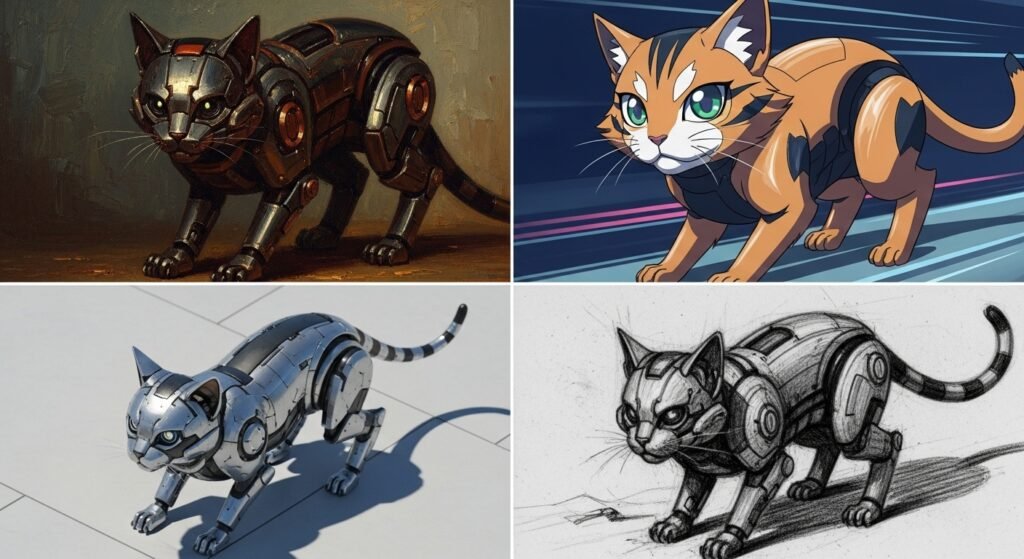
FrostingAI can mimic almost any art style you can imagine. If you want a photo that looks real, it can do that. It can also do abstract art that looks like a dream. The variety is truly endless for creative people.
- Photorealistic images look like they were shot on a camera.
- Surreal art creates worlds that do not exist in real life.
- Sci-fi styles are perfect for futuristic cities and robots.
- Anime styles give you that classic hand-drawn cartoon look.
Aspect Ratio and Orientation
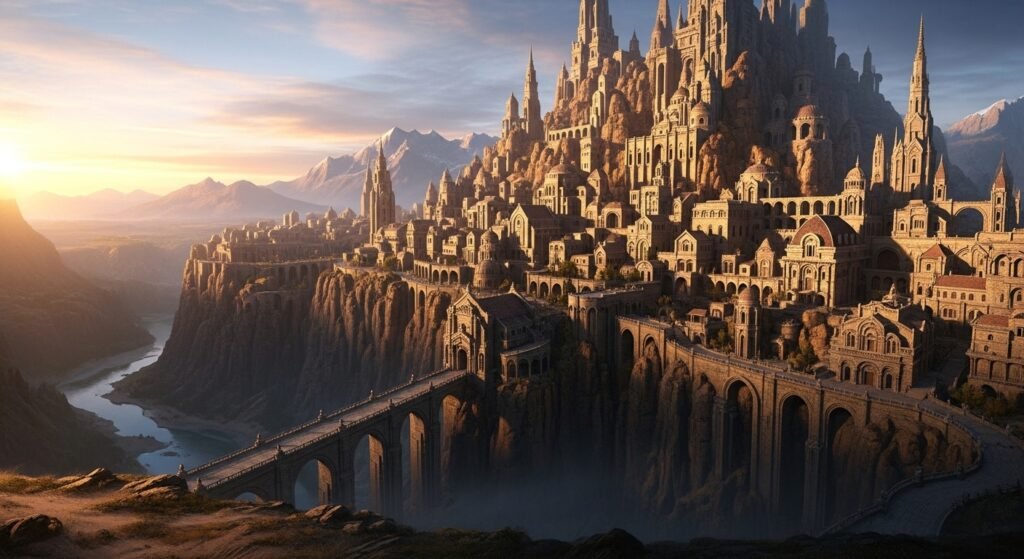
You can pick the shape of your image before you start. Square is great for Instagram posts and profile pictures. Landscape is better for YouTube banners or movie scenes. Portrait mode works perfectly for phone wallpapers and stories.
This flexibility means you don’t have to crop your art later. The AI composes the image to fit the shape you chose. This makes the final product look much more professional. It is a simple setting that makes a huge difference.
How to Use FrostingAI: A Step-by-Step Guide
Getting Started
First, you need to visit the FrostingAI website and sign up. Creating an account lets you save all your cool creations. Once you are logged in, you will see the main dashboard. Take a second to look around at all the buttons.
The dashboard is your creative home base for every project. You will find the prompt box right at the top. The settings for your image are usually on the side. It is very organized so you won’t feel overwhelmed.
The Creative Process
Now it is time to type your first prompt into the box. Try to be as specific as you can for the best result. Pick a style from the library if you want a certain look. Then you can adjust the advanced settings if you feel brave.
- Input prompt is where you describe your crazy idea.
- Style library gives you one-click artistic themes to use.
- Adjust settings to change the size or the prompt weight.
- Bake button starts the AI magic to build your image.
Refinement and Finalization
After the AI finishes, look closely at the image it made. You can use the built-in editor to fix small things. Maybe it needs to be a bit brighter or more colorful. You can also try “remixing” it with a slightly different prompt.
Once it looks perfect, you are ready to save your work. You can upscale it if you want it to be super high-def. Then just hit the download button to save it to your device. Now you have a unique piece of art to show the world.
Use Cases and Applications
Social Media and Marketing
Social media managers love FrostingAI for making quick posts. You can make a whole week of content in just an hour. It helps you stay unique so you don’t use the same stock photos. This makes your feed look fresh and interesting to followers.
Marketing teams use it to test out new ad ideas fast. You can see what a campaign might look like before spending money. It is a great way to brainstorm new visual identities for brands. Custom art always grabs more attention than boring old text.
Professional Graphic Design
Graphic designers use FrostingAI to get a head start on projects. It can generate logos or icons in a few seconds. Then the designer can polish them up in other programs. It is like having a super fast assistant for your design work.
- Logo design helps you find shapes and colors that work.
- Posters can be made for events or movies very quickly.
- Branding becomes easier when you can see many options.
- Layouts can be planned out with AI-generated sketches.
Game Development and Storytelling
Game devs use this tool to build entire worlds and characters. You can design a spooky forest or a futuristic lab easily. It is also great for making character portraits for your story. This saves a ton of money for small indie developers.
Authors use FrostingAI to see what their characters look like. It helps with describing scenes in their books more clearly. You can even make concept art to show publishers your vision. It brings stories to life before the first chapter is finished.
Education and Presentations
Teachers use AI art to make their lessons more exciting. You can show students what a historical scene might have looked like. It is also great for explaining science concepts with visuals. Custom images make students pay more attention in class.
In the business world, it makes presentations look much better. You can have custom art for every slide in your deck. This looks way more professional than using random clip art. It helps you stand out during big meetings or pitches.
Community and Collaborative Features
Public Gallery and Inspiration
There is a public gallery where you can see what others made. This is the best place to find new ideas for prompts. You can see the exact words people used to get their art. It is a great way to learn from the best creators.
- Remixing lets you take someone’s idea and change it a bit.
- Likes and follows help you keep track of artists you enjoy.
- Prompt sharing builds a library of knowledge for everyone.
- Inspiration is everywhere when you look at the community.
Collaboration Tools
Teams can work together on FrostingAI to build bigger projects. You can share your “bake” settings with a simple link. This lets your friends or coworkers see exactly what you did. Then they can try to make it even better on their end.
Some plans might offer shared folders for your team’s work. This keeps all your project art in one safe place. Working together in the cloud is the future of creative work. FrostingAI makes sure you are never stuck creating art alone.
Pricing and Subscription Plans
Free Tier
FrostingAI has a free plan so you can try it out today. You get a certain number of free images every month. This is perfect for hobbyists who just want to have some fun. You can learn the ropes without spending a single penny.
- 100 images is a common limit for free users each month.
- Standard tools are all included in the free version.
- Public gallery access is open to everyone for inspiration.
- No credit card is usually needed to start with the free tier.
Paid Subscription Tiers
If you want more power, you can upgrade to a paid plan. The Planet Plan is great for people who make art every day. It gives you more styles and better resolution options. You also get your images made faster on the servers.
The Star and Nebula plans are for the real professionals. These offer thousands of generations and the best upscaling. You also get priority support if you ever run into trouble. It is a cost-effective way to get pro-level art for your business.
| Plan Name | Best For | Key Benefit |
| Free | Beginners | 100 free images |
| Planet | Hobbyists | More styles and speed |
| Star | Professionals | High volume and priority |
| Nebula | Enterprises | Max batching and resolution |
Comparative Analysis: Pros and Cons
Advantages of Using FrostingAI
The biggest pro is how easy it is to use for everyone. You can go from an idea to a finished piece in seconds. The quality of the images is often top-notch and pro-grade. It gives you creative tools that used to cost thousands of dollars.
- User-friendly interface means no technical skills needed.
- High speed helps you stay in your creative flow.
- Low cost compared to hiring a human artist for every task.
- Total control with negative prompts and reference photos.
Limitations and Challenges
One downside is that you must have a stable internet connection. If your Wi-Fi is bad, you cannot make any art. Also, the AI sometimes struggles with drawing human hands. It can take a few tries to get the fingers looking right.
- Paywalls hide some of the coolest features from free users.
- Quality bugs can lead to weird or mutated shapes sometimes.
- Ethical debate about where the AI gets its training data.
- Learning curve for mastering advanced prompt engineering.
Ethics, Copyright, and Safety
Originality and Ownership
There is a lot of talk about who owns AI-generated art. Usually, you own the rights to the images you make on FrostingAI. But the laws are still changing in many different countries. It is important to stay updated on these rules as they evolve.
Some artists are worried about their work being used for training. This is a big debate in the tech world right now. FrostingAI tries to be fair and follow the best practices. They want to build a tool that helps artists instead of hurting them.
Content Safety and Moderation
FrostingAI has rules about what kind of art you can make. They have filters to stop harmful or mean imagery. This keeps the community safe and friendly for everyone. They take content moderation very seriously to avoid trouble.
- NSFW filters block adult content on the platform.
- Harmful text is not allowed in the prompt box.
- Community reporting lets users flag bad images for review.
- Privacy tools help keep your personal creations safe.
Troubleshooting and Technical Support
Solving Common Image Issues
If your image looks weird, try adding more negative prompts. This tells the AI what to fix in the next version. Blurry faces can often be fixed by using the upscaling tool. Sometimes just changing one word in the prompt changes everything.
- Mutated limbs can be fixed with “better anatomy” keywords.
- Server lag usually goes away if you wait a few minutes.
- Login errors can be solved by clearing your browser cache.
- Payment issues should be sent to the support team immediately.
Customer Support and Resources
There is a big FAQ section to help you with common problems. You can also join their Discord to talk to other users. The community is usually very happy to help out new people. If you have a big issue, you can send a support ticket.
They have tutorials that teach you how to be a pro prompter. These guides show you how to use every single feature. Learning from these resources will save you a lot of time. FrostingAI wants you to succeed and make awesome art.
Conclusion and Future Outlook
FrostingAI is a powerful friend for anyone who loves being creative. It has changed the game by making pro-level art easy and fast. As the tech gets better, the images will look even more real. We are only at the beginning of this amazing journey.
The platform will likely add even more tools for video and 3D. This will give creators even more ways to tell their stories. It is a great time to jump in and start learning these tools. FrostingAI is leading the way toward a more creative future for all of us.
Frequently Asked Questions
Is FrostingAI free to use?
Yes, there is a free plan that lets you make up to 100 images. You can upgrade later if you need more.
Can I use the images for my business?
Most paid plans include a commercial license for your work. Check the specific plan details to be 100% sure.
How fast does it generate images?
It usually takes between 5 and 20 seconds to finish one. Batching might take a little longer but saves time overall.
Do I need a high-end computer?
Nope, everything runs in the cloud on their powerful servers. You just need a basic web browser and internet.
What is the maximum prompt length allowed on FrostingAI?
Under normal conditions, the platform can handle quite descriptive prompts, but during times of high server load, the length is typically capped at 5kB. It is best to keep your descriptions detailed but focused to ensure the AI processes every word without truncation.
Does FrostingAI offer an API for developers?
Currently, the platform is primarily focused on its web interface for individual creators. While there is no widely publicized open API for public use yet, the developers frequently update the site with integration features like Discord bots to help bridge the gap for power users.
Can I create videos on FrostingAI instead of just static images?
Yes, FrostingAI has introduced a beta feature for video generation. Depending on your subscription tier—specifically the higher-level plans like Star or Nebula—you can generate between 20 to 80 AI videos per month using text-to-video technology.
What is the CLIP Skip setting and how does it affect my art?
CLIP Skip is an advanced technical setting found in the generation menu. It determines how “deeply” the AI reads your prompt; lower values follow your text very literally, while higher values allow the AI more creative freedom to interpret the “vibe” of your words rather than every specific detail.
Is there a limit to how many images I can generate at once?
This depends entirely on your plan. Free users usually generate one image at a time, but paid tiers allow for “Batch Generation.” The most advanced plans let you “bake” up to 16 different variations of an image simultaneously, which is a massive time-saver for professional projects.
Can I use FrostingAI to edit existing photos?
Yes, through a feature called “Inpainting.” You can upload a photo, mask out a specific area (like a person’s hat or a background tree), and give the AI a new prompt to replace only that specific section while keeping the rest of the original photo intact.
What are “Quality Steps” in the advanced settings?
Quality steps refer to the number of iterations the AI takes to refine an image. A higher number of steps (up to 100 on top-tier plans) results in more intricate details and fewer visual errors, though it takes slightly longer to process the final result.
Does FrostingAI support NSFW or uncensored content?
Unlike many mainstream AI generators that have strict filters, FrostingAI is known for being more open. It allows for a wider range of creative freedom, including adult content and uncensored artistic expression, provided it follows the platform’s basic safety and legal guidelines.
How does FrostingAI handle my private data and image history?
Your generations are kept private by default and are stored on the platform’s secure servers. They are only visible to the public if you choose to share them in the community gallery. The platform uses encryption to protect your account and personal uploads.
Can I run FrostingAI offline on my own computer?
No, FrostingAI is a cloud-based service. The heavy processing required to run Stable Diffusion models happens on their remote high-end servers, which means you must have an active internet connection to generate or edit images.
What happens if I run out of generations before the month ends?
If you hit your plan’s limit, you can either wait for your monthly reset or upgrade to a higher tier for an immediate boost. Some plans also allow you to purchase “top-up” credits if you only need a few extra images to finish a specific project.
Is there a mobile app for FrostingAI?
There is no dedicated app store download yet, but the website is fully optimized for mobile browsers. You can save the website to your home screen on an iPhone or Android device to use it just like a native app.
Does the AI understand languages other than English?
While FrostingAI works best with English prompts due to its training data, it can often interpret basic prompts in other major languages. However, for complex scenes or specific artistic styles, using English is highly recommended for the most accurate results.
Can I restore old or blurry family photos with this tool?
Yes, by using the “Image-to-Image” and “Upscaling” tools, you can upload old, low-quality photos and ask the AI to “enhance” or “reimagine” them. This can sharpen blurry faces and add color to old black-and-white snapshots.
What are “Seeds” and why should I care about them?
Every AI image has a unique “Seed” number. If you find a layout you love, you can lock that Seed number. This allows you to change the prompt (like changing a character’s clothes) while keeping the background and pose exactly the same.
Is there an age restriction for using the platform?
Because FrostingAI allows for uncensored content, users are generally required to be 18 years or older. In certain regions with stricter laws, the age requirement may be as high as 21 to ensure full legal compliance.
Can I follow other artists on FrostingAI?
Yes, the platform features a community section where you can follow your favorite creators. This builds a personalized feed of inspiration where you can see the prompts and settings others are using to create their masterpieces.
How do I report a bug or a technical glitch?
The best way to get technical help is through the official FrostingAI Discord server or the “Support” link on the website. The developers are very active in the community and often fix common bugs within a few hours of they being reported.
Can I cancel my subscription at any time?
Yes, subscriptions are handled on a month-to-month basis. You can cancel through your account settings at any time, and you will retain access to your paid features until the end of your current billing cycle.
Does FrostingAI offer discounts for students or non-profits?
While there isn’t a permanent discount page, the platform occasionally runs promotions and “refer-a-friend” events. It’s a good idea to join their newsletter or Discord to stay informed about special pricing for educational or non-profit use.