
In today’s world, users demand more from their browsers than just speed. They want privacy, security, and a customizable experience that fits their unique needs. That’s where ChromiumFX comes in. It’s an open-source framework designed to revolutionize how developers create cross-platform applications, blending the power of the Chromium web engine with the flexibility of .NET technologies.
ChromiumFX empowers developers to embed the Chromium browser engine directly into .NET applications, unlocking new possibilities for fast, secure, and customizable browsing experiences. Whether you’re building desktop applications or hybrid apps, ChromiumFX provides an efficient way to integrate modern web standards and cutting-edge technologies like HTML5, CSS3, and JavaScript into your apps.
In this article, we’ll explore everything you need to know about ChromiumFX: its benefits, features, use cases, and how it helps developers create powerful and scalable applications. By the end of this guide, you’ll have a clear understanding of how ChromiumFX can take your development projects to the next level.
What is ChromiumFX?
Definition and Overview
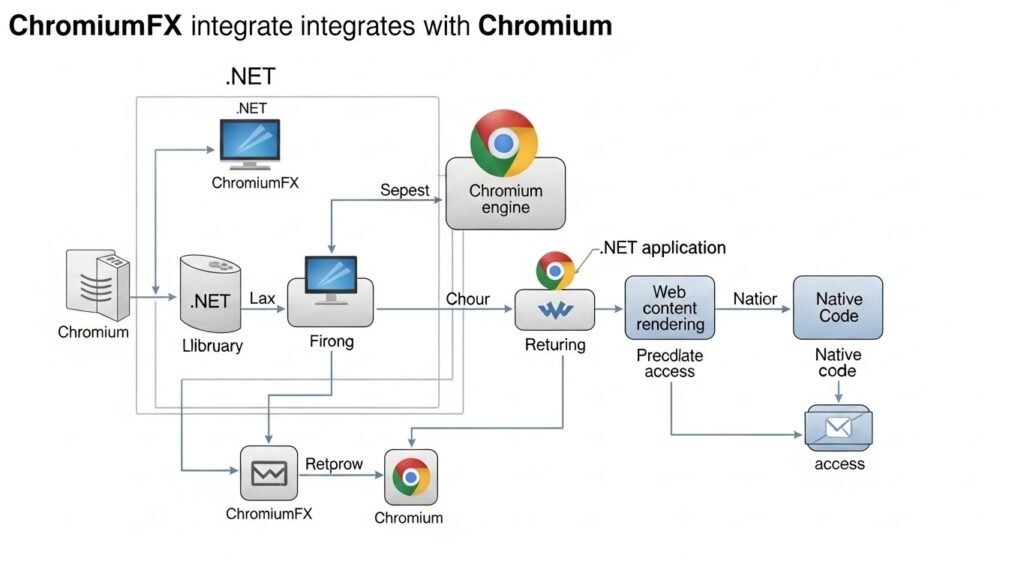
ChromiumFX is a modern framework that enables developers to integrate the Chromium browser engine into .NET applications. This open-source tool brings powerful web technologies like HTML5, CSS3, and JavaScript directly into your applications, allowing you to render rich, dynamic web content within desktop or hybrid apps.
Unlike traditional desktop browsers, which are limited by their standalone nature, ChromiumFX allows you to embed web functionality seamlessly into your applications. This integration means you can take advantage of a wide range of web-based features while maintaining the performance and flexibility of a native desktop application.
By using ChromiumFX, developers can create custom web browsers, web applications, and enterprise-grade software that leverages the power of Chromium. Whether you’re developing an internal tool or a multimedia application, ChromiumFX provides the foundation for building high-performance apps that adhere to modern web standards.
How ChromiumFX Works
At its core, ChromiumFX is built on the Chromium Embedded Framework (CEF), a widely used open-source project that allows applications to embed the Chromium browser engine. This means that developers can access all of Chromium’s features while working within the familiar .NET ecosystem.
Here’s how ChromiumFX works:
- Embedding: Developers use ChromiumFX to embed the Chromium rendering engine inside their .NET applications. This allows them to display web content within their applications, from basic HTML pages to complex multimedia experiences.
- Customization: With ChromiumFX, developers have full control over the web content displayed in their applications. This includes the ability to customize the user interface, manage web content, and handle events triggered by the embedded browser.
- Cross-platform Support: ChromiumFX works seamlessly across multiple platforms, including Windows, Linux, and macOS. This means developers can build applications that run on a variety of devices without worrying about platform-specific issues.
Cross-Platform Compatibility
One of the standout features of ChromiumFX is its cross-platform support. Whether you’re targeting Windows, Linux, or macOS, ChromiumFX allows you to create applications that perform consistently across all major operating systems. This makes it an ideal choice for developers building hybrid applications or cross-platform solutions.
With ChromiumFX, you don’t need to worry about rewriting code for each platform. Instead, you can focus on building your application’s core functionality, and ChromiumFX will handle the details of rendering web content across different environments.
Benefits of ChromiumFX
Speed and Performance
When it comes to browsing, speed is crucial. ChromiumFX ensures fast browsing by leveraging the powerful Chromium engine, known for its high rendering performance and fast load times. The framework optimizes resource management to provide smooth animations, quick page rendering, and seamless interaction with web content.
The ChromiumFX framework has been built with performance optimization in mind, ensuring that applications built using it are not only fast but also responsive. This makes it a great choice for applications that require high-speed rendering and real-time data processing, such as enterprise dashboards, POS systems, and data analysis tools.
Seamless Web and Native Integration
One of the key benefits of ChromiumFX is the seamless integration of web technologies into native desktop applications. Unlike traditional browsers, which run as standalone applications, ChromiumFX embeds the Chromium browser engine directly into your .NET application. This integration allows you to combine the best of both worlds—web-based technologies like HTML, CSS, and JavaScript with the native power and flexibility of .NET.
This approach offers several advantages:
- Custom Browsing: You can create a fully customized browsing experience, from UI elements to user interactions, tailored to your application’s specific needs.
- Hybrid Applications: ChromiumFX enables the development of hybrid applications, combining native functionality with web-based content to deliver a rich, dynamic experience.
Security and Privacy
In an age of increasing online threats, security and privacy are top priorities for users. ChromiumFX prioritizes user privacy and ensures a secure browsing environment by implementing modern security practices such as sandboxing, process isolation, and content filtering.
By embedding the Chromium engine, ChromiumFX takes advantage of its robust security model, which includes protections against tracking, malicious scripts, and intrusive ads. This makes it an ideal solution for developers looking to create secure, privacy-conscious applications without sacrificing performance.
Customization and Flexibility
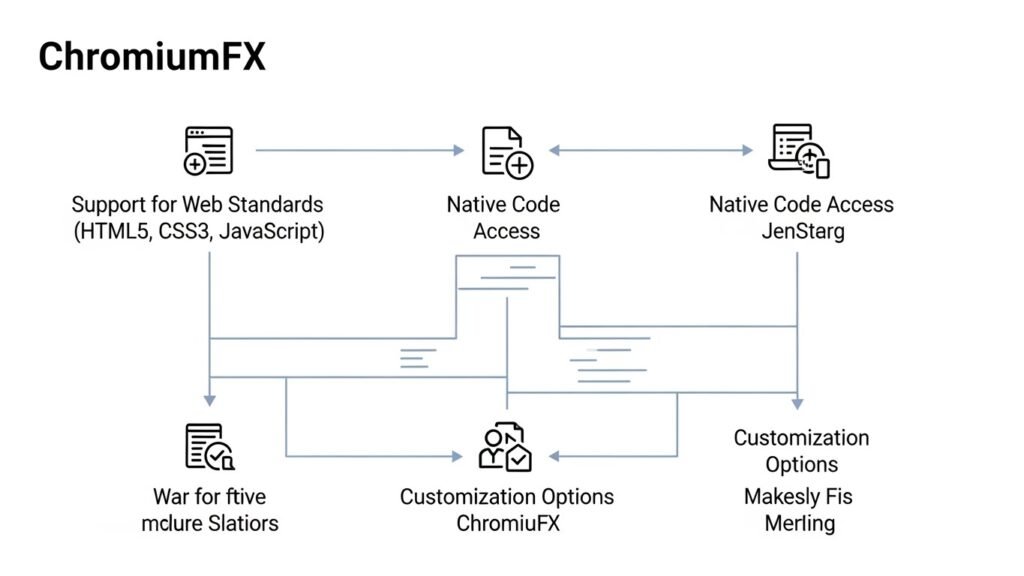
ChromiumFX offers extensive customization options, allowing developers to tailor the browsing experience to their needs. Whether you’re building a simple browser or a complex application with advanced web capabilities, ChromiumFX gives you full control over the look, feel, and functionality of your web content.
Some of the customization options include:
- UI Customization: You can modify the user interface of the embedded browser to match your application’s design.
- Script Execution and DOM Manipulation: ChromiumFX supports JavaScript interop, allowing you to run scripts and manipulate the Document Object Model (DOM) within your application.
- Event Handling: Developers can customize how the browser reacts to various user interactions, providing a seamless and intuitive experience.
Key Features of ChromiumFX
Support for Web Standards
One of the primary advantages of ChromiumFX is its full support for modern web standards. As web technologies evolve, staying compatible with the latest standards like HTML5, CSS3, and JavaScript is crucial. ChromiumFX leverages the Chromium engine, which is known for its robust implementation of these standards, ensuring that developers can create applications with cutting-edge web technologies.
This support enables developers to:
- Render modern websites and applications with minimal compatibility issues.
- Utilize WebGL, WebRTC, and other advanced web technologies for more interactive and media-rich applications.
- Integrate multimedia content seamlessly, improving the overall user experience.
Native Code Access
While ChromiumFX integrates web-based technologies, it doesn’t leave behind the power of native applications. By embedding the Chromium browser engine within .NET applications, ChromiumFX allows developers to access native system resources and APIs directly. This capability ensures that your application can still leverage the full power of the underlying operating system while delivering web content.
With native code access, developers can:
- Integrate web content with native controls and libraries, creating a hybrid experience.
- Use system resources for advanced functionality such as multimedia applications, enterprise software, or data analysis tools.
- Handle native events, system-level APIs, and customize the behavior of the web content to match the native environment.
Rich User Interface Integration
ChromiumFX makes it easy to embed web content directly into .NET applications, enabling developers to build complex and interactive user interfaces. With the support for HTML5, CSS3, and JavaScript, developers can create UI elements that are visually rich and responsive.
The ability to render web content inside a native desktop application means that you can:
- Use dynamic UI elements that react in real-time.
- Build applications with modern web designs while retaining the speed and functionality of native applications.
- Seamlessly incorporate third-party libraries and web-based frameworks for added flexibility.
Advantages of Using ChromiumFX
Single Codebase for Cross-Platform Development
One of the standout features of ChromiumFX is its ability to provide a single codebase that works across multiple platforms, including Windows, Linux, and macOS. This means that developers don’t have to maintain separate versions of their applications for each platform. Instead, ChromiumFX ensures consistent performance and behavior regardless of the operating system, significantly reducing development time and complexity.
By using ChromiumFX, developers can:
- Build cross-platform applications that run on multiple operating systems with minimal adjustments.
- Focus on core functionality rather than worrying about platform-specific details.
- Ensure a consistent user experience across different platforms.
Simplified Development Process
Unlike other web technologies that require developers to write separate code for web and native components, ChromiumFX simplifies the development process by merging the two. It allows developers to embed Chromium’s powerful browser engine directly into their .NET applications, eliminating the need for external browsers or plugins.
This unified approach provides the following benefits:
- Reduced development time: By using one framework for both web and native content, developers can accelerate the creation of applications.
- Better code maintenance: A single codebase makes updates and bug fixes easier to implement across platforms.
- Streamlined testing and debugging: Developers can use integrated tools to test and debug both web content and native application features simultaneously.
Developer-Friendly with .NET Support
For developers already familiar with .NET, ChromiumFX offers a smooth and seamless integration. ChromiumFX was designed specifically for .NET developers, making it easy to embed Chromium’s web engine into existing .NET projects. Whether you are using C#, VB.NET, or F#, the framework provides all the necessary APIs and tools to get started quickly.
For .NET developers, the benefits include:
- Familiar development environment: No need to learn a new language or framework, as ChromiumFX integrates directly with .NET.
- Comprehensive documentation: ChromiumFX offers clear documentation and examples tailored to .NET developers.
- Debugging tools: Built-in debugging tools make it easier to troubleshoot and optimize applications.
Getting Started with ChromiumFX
Prerequisites for Setup
Before diving into ChromiumFX, there are a few prerequisites that need to be in place to ensure a smooth setup. Developers should have the following tools installed:
- Visual Studio: The preferred IDE for .NET development, providing comprehensive support for C#, VB.NET, and F#.
- .NET SDK: Ensure that the .NET SDK is installed on your machine. This is required to build and run .NET applications.
- ChromiumFX Libraries: Download and install the ChromiumFX libraries, which provide the necessary bindings for Chromium’s rendering engine.
Once these tools are set up, you can start by creating a new .NET application and adding references to the ChromiumFX libraries. From there, you can begin embedding the Chromium browser engine within your application and customize it to fit your needs.
Installation and Configuration
Setting up ChromiumFX in your .NET environment is straightforward. After installing the necessary tools, follow these steps:
- Install ChromiumFX: Download the latest version of ChromiumFX from the official website or GitHub repository.
- Add References: In Visual Studio, add references to the ChromiumFX libraries in your project. This allows your application to access Chromium’s web rendering engine.
- Set Up Project Configuration: Ensure that your project is set to target the correct .NET framework version and configure the necessary dependencies.
- Build and Test: Once the installation and setup are complete, you can start building your application and test how ChromiumFX integrates with your .NET environment.
Project Setup in .NET
Creating a new project using ChromiumFX is simple. Here’s how you can set up a new .NET project:
- Step 1: Open Visual Studio and create a new Windows Forms or WPF project.
- Step 2: Add ChromiumFX as a reference to your project.
- Step 3: Create a new Chromium browser instance using the CreateBrowser method from the ChromiumFX API.
- Step 4: Customize the browser’s settings and user interface as needed.
Once the project is set up, you can begin embedding web content, handling browser events, and customizing the user interface.
Use Cases of ChromiumFX

Web Applications with Native Capabilities
One of the primary use cases for ChromiumFX is the development of web applications that require both web-based content and native functionality. Whether you are building an internal tool, an enterprise-grade solution, or a customer-facing application, ChromiumFX enables you to combine the rich features of modern web technologies with the performance and flexibility of native desktop applications.
Developers can leverage ChromiumFX to:
- Integrate web content, such as HTML, CSS, and JavaScript, into native applications.
- Enable dynamic content rendering and interaction within a desktop environment.
- Access local system resources while maintaining a smooth user experience.
This hybrid approach is especially beneficial for applications that need to access both native APIs and web-based features, such as CRM systems, dashboards, and data analysis tools.
Enterprise Solutions
ChromiumFX is an ideal solution for enterprise applications that require secure, high-performance browsing within a native environment. Whether it’s an internal application or a customer-facing tool, ChromiumFX provides the flexibility to incorporate web technologies seamlessly into enterprise-grade software.
Here are some key enterprise use cases for ChromiumFX:
- CRM systems: Providing an integrated solution that combines the power of web-based CRM tools with native desktop functionality.
- Reporting and analysis tools: Building tools that enable real-time data analysis and reporting using web content embedded within a native application.
- POS systems: Integrating a web interface into point-of-sale (POS) systems while maintaining the benefits of native performance.
By using ChromiumFX in enterprise applications, businesses can streamline workflows, improve efficiency, and provide a more cohesive user experience.
ChromiumFX vs Other Frameworks
Comparison with CEF (Chromium Embedded Framework)
When discussing ChromiumFX, it’s essential to compare it with CEF (Chromium Embedded Framework), the widely-used open-source framework that allows applications to embed the Chromium browser engine. CEF has been around for years and has established itself as a go-to solution for embedding web content into applications. However, ChromiumFX stands out due to its seamless integration with .NET.
Key differences between ChromiumFX and CEF include:
- Platform Support: While CEF is cross-platform, ChromiumFX is specifically designed for .NET developers and integrates closely with .NET frameworks, including C#, VB.NET, and F#.
- Ease of Use: ChromiumFX offers a more developer-friendly API for .NET developers, whereas CEF requires more work to integrate with .NET applications.
- Customization: ChromiumFX provides extensive UI customization and integration, making it easier for developers to build unique user experiences within their applications.
For .NET developers, ChromiumFX provides a simpler, more efficient way to work with Chromium, whereas CEF requires more complex setup and integration steps.
Comparison with Electron
Another popular framework for building cross-platform desktop applications is Electron. Like ChromiumFX, Electron also uses the Chromium engine for rendering web content, but there are some key differences between the two.
Here’s how ChromiumFX and Electron compare:
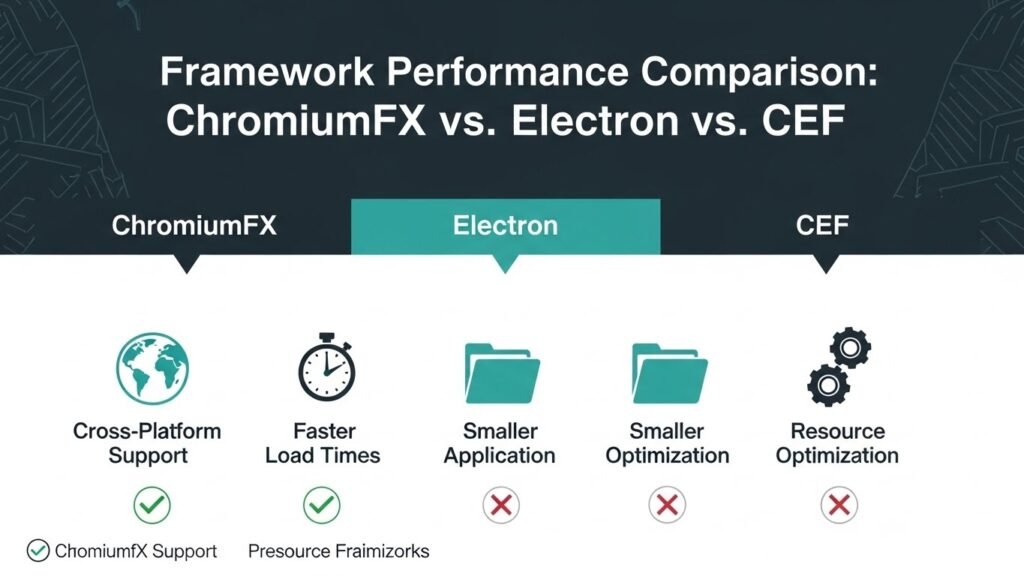
- Integration with .NET: ChromiumFX is tailor-made for .NET developers, offering a straightforward way to embed web content within .NET-based applications. Electron, on the other hand, primarily uses Node.js and JavaScript, making it less intuitive for developers who are more familiar with .NET.
- Application Size: Electron applications tend to be larger in size because they bundle the entire Chromium engine with the app. ChromiumFX doesn’t require such bundling, making it more lightweight and efficient.
- Performance: ChromiumFX tends to offer better performance optimization and resource management compared to Electron, especially for applications that require high rendering performance.
While Electron is a great choice for JavaScript developers, ChromiumFX provides a better solution for .NET developers looking to integrate web content with native desktop applications.
Future of ChromiumFX
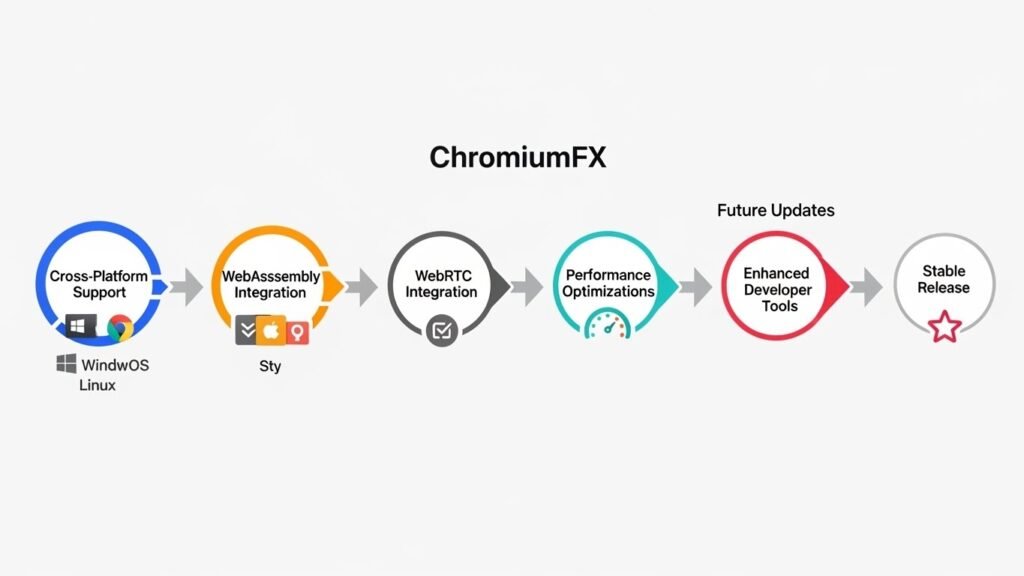
Ongoing Improvements and Updates
As an open-source framework, ChromiumFX is constantly evolving. The development community behind ChromiumFX is continually working to improve the framework by adding new features, enhancing performance, and supporting more platforms.
Some upcoming improvements include:
- Cross-platform enhancements: While ChromiumFX already supports Windows, Linux, and macOS, future versions will bring even more stable and efficient cross-platform support.
- New web technologies: As web standards evolve, ChromiumFX will continue to integrate the latest web technologies such as WebAssembly, WebRTC, and WebGL.
- Performance optimizations: Ongoing work will focus on improving the speed and resource efficiency of applications built with ChromiumFX.
For developers, this means that ChromiumFX will continue to improve and offer even more powerful tools to build high-performance, cross-platform applications.
Community and Ecosystem Growth
The ChromiumFX ecosystem is growing rapidly, with an increasing number of developers contributing to the project. The community-driven approach ensures that ChromiumFX stays up-to-date with the latest industry trends and keeps improving based on real-world feedback.
Key aspects of the ChromiumFX ecosystem include:
- Documentation: Comprehensive and continually updated documentation to help developers get started quickly and troubleshoot issues.
- Community support: An active community of developers, forums, and GitHub repositories where you can share knowledge, report bugs, and request features.
- Third-party integrations: As the ecosystem grows, expect more third-party libraries and extensions designed to work seamlessly with ChromiumFX.
With the backing of an enthusiastic and engaged community, ChromiumFX is poised to be a major tool for .NET developers for years to come.
Conclusion
ChromiumFX has emerged as a powerful framework that combines the flexibility of web-based technologies with the performance of native desktop applications. By offering seamless integration of the Chromium engine into .NET projects, it opens up exciting possibilities for developers to build modern, secure, and cross-platform applications.
In this article, we’ve explored the key features, benefits, and use cases of ChromiumFX, as well as compared it to other frameworks like CEF and Electron. We’ve also looked at the future developments of ChromiumFX and the growing support from its development community.
If you’re a .NET developer looking to integrate web technologies into your desktop applications, ChromiumFX is the perfect solution to build fast, secure, and customizable applications. With its growing ecosystem and continuous improvements, ChromiumFX is set to shape the future of cross-platform application development.
FAQs
What is ChromiumFX?
ChromiumFX is an open-source framework designed to integrate the Chromium browser engine into .NET applications. It allows developers to embed web content such as HTML5, CSS3, and JavaScript directly within desktop applications, enabling them to build cross-platform applications that run smoothly across Windows, Linux, and macOS.
How does ChromiumFX differ from CEF?
ChromiumFX is built specifically for .NET developers, offering seamless integration with .NET frameworks such as C#, VB.NET, and F#. Unlike CEF, which requires more manual integration with C++ code, ChromiumFX provides a more straightforward API for .NET developers, making it easier to use and implement.
Can I use ChromiumFX for mobile applications?
While ChromiumFX is primarily designed for desktop applications, it can be adapted for mobile platforms using cross-platform development tools. However, ChromiumFX‘s full feature set is best suited for Windows, Linux, and macOS applications. For mobile applications, other frameworks like Electron or Xamarin may be more appropriate.
What are the performance benefits of using ChromiumFX?
ChromiumFX leverages the power of Chromium, which is known for its fast rendering engine and high-performance web content rendering. It also provides performance optimization features such as memory management, smooth animations, and fast load times for applications. This makes ChromiumFX ideal for building applications that require high-speed rendering and seamless interaction with web-based content.
Is ChromiumFX suitable for building enterprise applications?
Yes, ChromiumFX is highly suitable for building enterprise applications that require both native performance and rich web functionality. Whether it’s building CRM systems, reporting tools, or data analysis applications, ChromiumFX offers the flexibility to create powerful, secure, and high-performance enterprise solutions.
What are the security features of ChromiumFX?
ChromiumFX prioritizes user security and privacy. It incorporates the Chromium security model, which includes sandboxing, process isolation, and content filtering. These features help protect users from malicious scripts, intrusive ads, and tracking. Additionally, ChromiumFX offers offline support and allows developers to implement custom security policies for web content.
How can I customize the user interface using ChromiumFX?
ChromiumFX allows developers to fully customize the UI by manipulating the DOM, executing JavaScript, and using CSS to style the embedded web content. You can also control events triggered by the web content, making it easy to create a seamless and dynamic user experience. This level of customization enables the creation of unique, branded experiences within desktop applications.
Does ChromiumFX support all modern web technologies?
Yes, ChromiumFX supports all modern web technologies, including HTML5, CSS3, JavaScript, WebGL, WebRTC, and other advanced web standards. This makes it possible to build applications with rich, interactive user interfaces and incorporate multimedia elements such as videos, animations, and 3D graphics.
What platforms does ChromiumFX support?
ChromiumFX supports major platforms like Windows, Linux, and macOS, making it a versatile choice for cross-platform development. However, the primary focus has been on Windows, with growing support for Linux and macOS in the latest versions of the framework.
How do I get started with ChromiumFX?
To get started with ChromiumFX, you need to install Visual Studio and ensure that the .NET SDK is set up. You can then download the ChromiumFX libraries from the official repository, add them to your .NET project, and begin integrating the Chromium engine into your application. Detailed setup guides and sample projects are available in the official documentation.
Is ChromiumFX free to use?
Yes, ChromiumFX is an open-source framework, which means it is free to use. Developers can access the source code, contribute to the project, and modify it according to their needs. It’s licensed under an open-source license, making it an excellent option for both personal and commercial development.
How does ChromiumFX compare to Electron for building cross-platform apps?
While both ChromiumFX and Electron leverage the Chromium engine, ChromiumFX is optimized for .NET developers and allows deeper integration with native desktop applications. Electron, on the other hand, is more suited for JavaScript developers and builds applications that run in a Node.js environment. Additionally, ChromiumFX applications tend to have smaller file sizes and better performance optimization compared to Electron apps.