 Skip to content
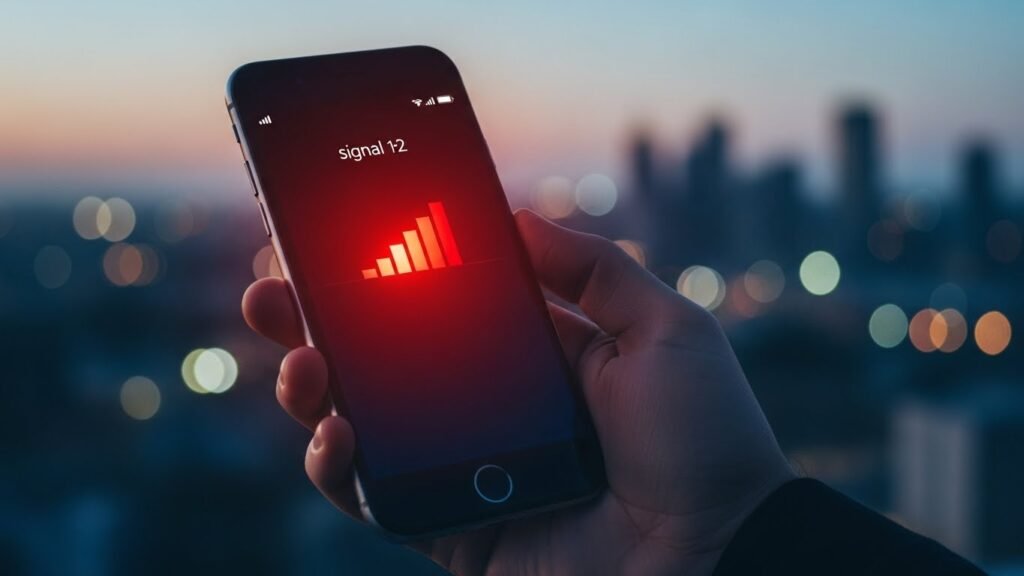
Finding a red phone signal on your screen is a real bummer. It always seems to happen when you need your phone the most. You might be trying to call a friend or check a map. Suddenly, those little bars turn red or show a weird SOS icon. This guide will help you understand what is going on with your device. We will show you how to fix it fast so you can get back to your day.
Introduction to Mobile Signal Dynamics
Mobile phones are like magic bricks that connect us to the whole world. They rely on invisible waves sent from giant cell towers nearby. In the modern digital age, staying connected is a must for everyone. When your signal is strong, everything feels smooth and easy. But when that red phone signal pops up, it can feel like a total disaster.
Understanding these signal signs is key to staying safe and busy. A red signal does not always mean your phone is totally broken. Sometimes it is just a warning about the network health around you. Your phone is actually trying to tell you something important. It is better to think of it as a helpful tip rather than a big failure.
Understanding Red Phone Signal: The Primary Scenarios
A red phone signal is basically a visual alarm for your mobile connection. It shows up in the status bar at the top of your screen. Different phones show this warning in different ways . iPhone users and Android fans might see slightly different icons. Knowing what these icons mean will save you a lot of stress.
The shift from normal bars to red ones is a big red flag. It means your phone is struggling to talk to the local cell towers. You might see red bars, a red “X,” or even red text. Each of these signs points to a specific type of network trouble. Let’s break down the most common reasons your screen is seeing red.
Emergency SOS Mode: The Most Critical State
The most serious red phone signal is the Emergency SOS mode. This usually shows up as red text that says “SOS” or “Emergency Calls Only”. It means your phone cannot find your own carrier’s network. However, it is not totally disconnected from the world. Your device is designed to be a lifesaver in these tough moments.
Emergency SOS is a universal distress call built into every mobile device. If your provider like Verizon or AT&T is down, your phone looks for others. It will use any available tower from any company to help you. This feature is a safety net for when you are in a jam. It ensures you can always call for help when it matters most.
Functionality Limitations
- Blocked Standard Services: You cannot make regular calls to your family or friends.
- No SMS Messaging: Standard text messages will not send or receive in this mode.
- Emergency Hotlines: You can still dial 911, 112, or 999 to get help.
- Wi-Fi Data: You can still use the internet if you find a Wi-Fi connection.
- Cellular Data: Regular mobile data is totally off while in SOS mode.
The Complexities of Roaming
Roaming happens when you leave your home coverage area. Your phone connects to other networks to keep you online. This is common when you travel to new states or countries. While it keeps you connected, it often triggers a red phone signal warning. Your phone wants you to know you are off the home turf.
There are two main types of roaming you should know about. Domestic roaming happens within your own country on partner networks. International roaming is what happens when you cross borders. Both can make a red “R” icon appear on your status bar. This is your phone’s way of saying, “Hey, watch out for extra costs”.
Performance Impact
- Data Throttling: Your internet might feel much slower than usual.
- Signal Drops: The connection strength might bounce up and down.
- Carrier Issues: Your phone might struggle to talk to a foreign network provider.
- Feature Loss: Some special features from your home plan might not work.
Weak Coverage: Environmental and Geographic Causes
Sometimes a red phone signal is just about where you are standing. Geography plays a huge role in how many bars you get. If you are in a deep valley or a rural region, towers are far away. Cities usually have more towers, but they have their own problems. Distance from the nearest cell tower is a major factor in signal health.
Physical obstructions are the most common signal killers. Thick concrete walls or metal roofs can block the invisible waves. Even fancy glass in modern buildings can stop a signal cold. This is why you might have a red signal inside but a green one outside. Your environment is constantly fighting with your phone’s antenna.
Signal Killers
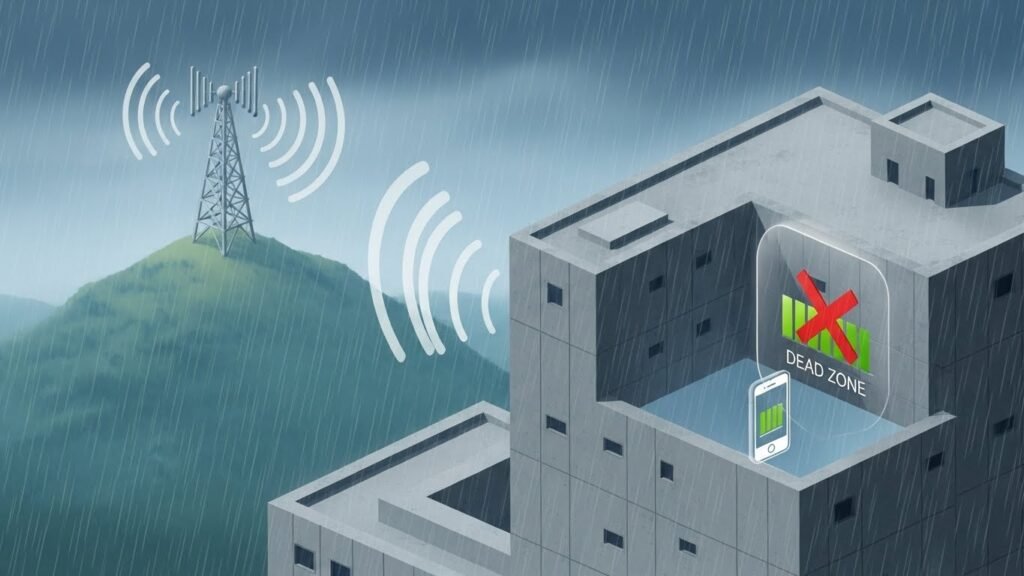
- Mountainous Terrain: Big hills and mountains can block signals entirely.
- Building Materials: Metal, brick, and thick concrete are terrible for reception.
- Weather Interference: Heavy rain or snow can actually weaken the signal waves.
- Dead Zones: Some spots simply have no tower coverage at all.
Network Congestion: The Temporary Overload
Have you ever been at a huge concert and your phone stopped working?. That is network congestion at its worst. Even if you have full bars, they might turn red or fail you. This happens when too many people try to use one tower at once. The network gets “clogged” just like a traffic jam on a highway.
During peak hours, towers in busy areas get totally overwhelmed. Everyone is trying to post photos or stream videos at the same time. When this happens, the network has to make tough choices. It will prioritize emergency calls over your social media feed. This is why your red phone signal might appear in a crowded stadium.
Account and Hardware Issues
Sometimes the red phone signal is about your account or the phone itself. If you forget to pay your bill, your carrier might cut you off. This leads to an immediate service suspension. You will see a red signal until the billing issue is cleared up. Always check your carrier app to make sure your plan is active.
Hardware problems can also cause a persistent red signal. A damaged SIM card or a glitchy eSIM can break the connection. Internal parts like the antenna or the baseband chip can fail too. Even old software can keep your phone from talking to new towers correctly. It is important to rule out these technical bugs early on.
Common Technical Faults
- Billing Issues: An unpaid balance can lead to a quick account refresh or cut-off.
- SIM Card Damage: Scratches or dirt on the SIM can cause “No Service” errors.
- Antenna Damage: Dropping your phone can break the internal signal hardware.
- Software Bugs: Outdated firmware can cause the cellular radio to act up.
Step-by-Step Solutions for Signal Recovery
Fixing a red phone signal does not have to be a giant headache. Most of the time, a few simple steps will get you back online. You should start with the easiest fixes first. These quick wins often solve the problem in under two minutes. If those do not work, we can move on to more advanced steps.
Immediate Troubleshooting (The First 2 Minutes)
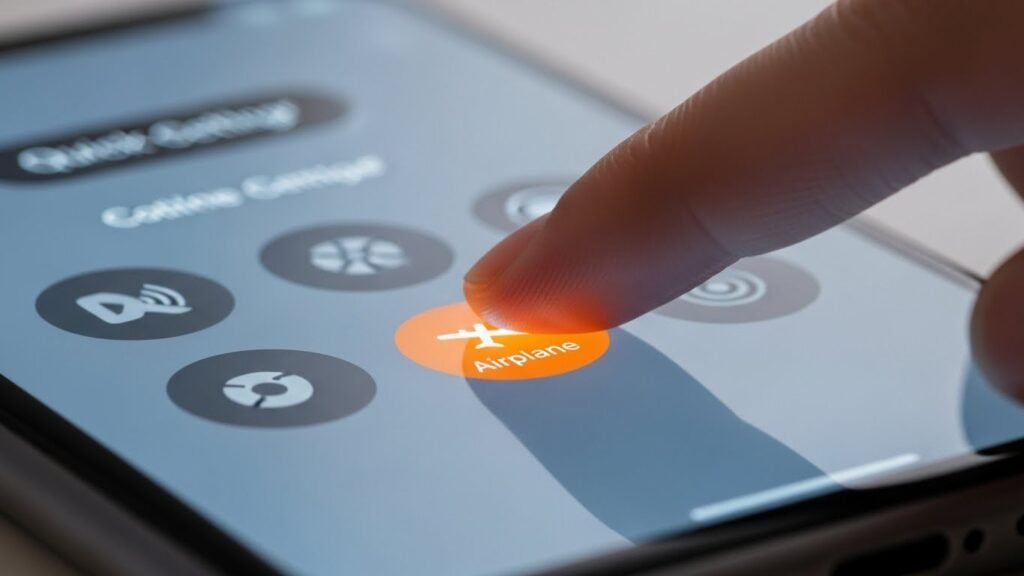
- Airplane Mode Toggle: Turn it on for ten seconds and then off to refresh.
- Device Restart: A quick reboot can clear out small software glitches.
- Location Check: Move toward a window or go outside for a better view.
- Case Removal: Take off your phone case to see if it is blocking the antenna.
Manual Network Selection
Your phone usually picks the best network automatically. But sometimes it gets stuck on a bad one. You can go into settings and pick a network yourself. This is very helpful when you are roaming or in a weak area. It forces your phone to look at all available options nearby.
SIM Card Maintenance
A dirty SIM card is a very common cause of a red phone signal. You should pop it out and take a close look at it. If it looks dusty, give it a gentle wipe. Make sure it is sitting perfectly flat in its tray before sliding it back. If you use an eSIM, you may need to download it again.
Advanced Software Fixes
- Reset Network Settings: This clears out all your Wi-Fi and Bluetooth data to fix signals.
- Carrier Settings Update: Check the “About” section in settings for a pop-up update.
- System Updates: Ensure your iOS or Android version is the latest one available.
- APN Reset: This fixes the secret settings your phone uses to find data.
Strengthening Connections with Technical Aids
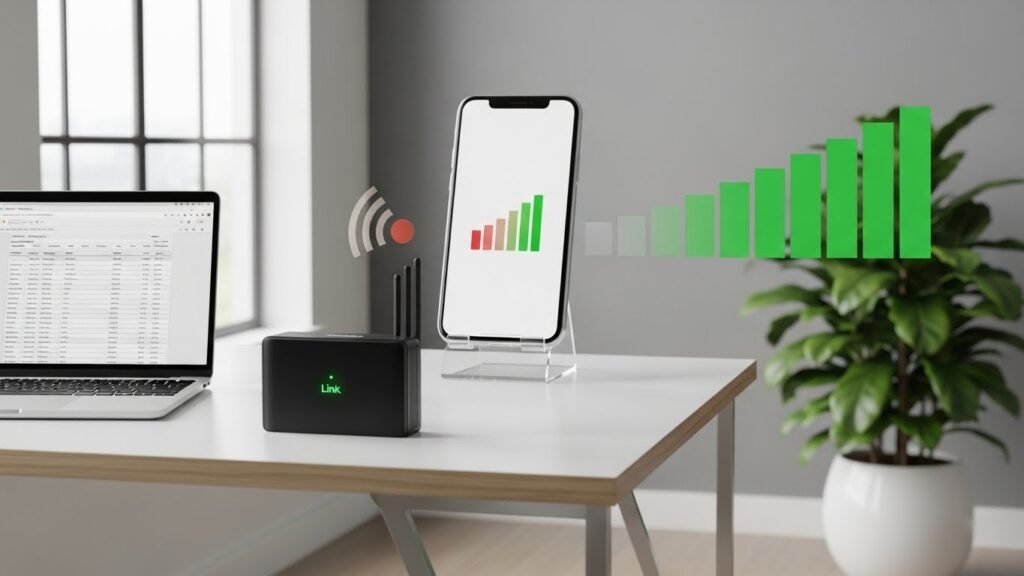
If you live in a place with a constant red phone signal, you need extra help. There are tools designed to boost your reception. These can turn a frustrating home into a high-speed hub. You don’t have to just live with bad service anymore. Technology has several great ways to bridge the gap.
Signal Boosting Tools
- Wi-Fi Calling: This uses your home internet to make calls instead of towers.
- Signal Boosters: These are small gadgets that grab weak signals and make them strong.
- Network Band Optimization: Forcing your phone to LTE or 4G can sometimes be more stable.
- Microcells: These are like mini cell towers you can plug into your router.
Financial Management of Red Signal Scenarios
A red phone signal can sometimes be a warning for your wallet. Roaming charges can be massive if you are not careful. It is important to manage your data settings when you are away from home. You don’t want to come home to a giant bill after a fun trip. A little bit of planning goes a long way here.
Roaming Cost Control
- Disable Data Roaming: Turn this off in settings to stop expensive data use.
- Voice-Only Roaming: Keep calls active but block all the background data apps.
- Travel Passes: Buy a flat-rate daily pass from your carrier before you leave.
- Local SIMs: Buy a cheap SIM card in the country you are visiting for local rates.
Proactive Signal Management and Prevention
The best way to deal with a red phone signal is to prevent it. Being prepared for dead zones will save you a lot of trouble. You should always have a backup plan for when the network fails. This is especially important for hikers or people in remote areas. Preparation is the enemy of signal stress.
Preparation Checklist
- Offline Maps: Download your local area in Google Maps while you have Wi-Fi.
- Alternative Apps: Use WhatsApp or Signal if regular texting is acting up.
- Battery Packs: Low signal makes your phone work harder and kills the battery.
- Emergency Info: Keep a physical list of important numbers in your wallet.
Professional Diagnostics and Advanced Tools
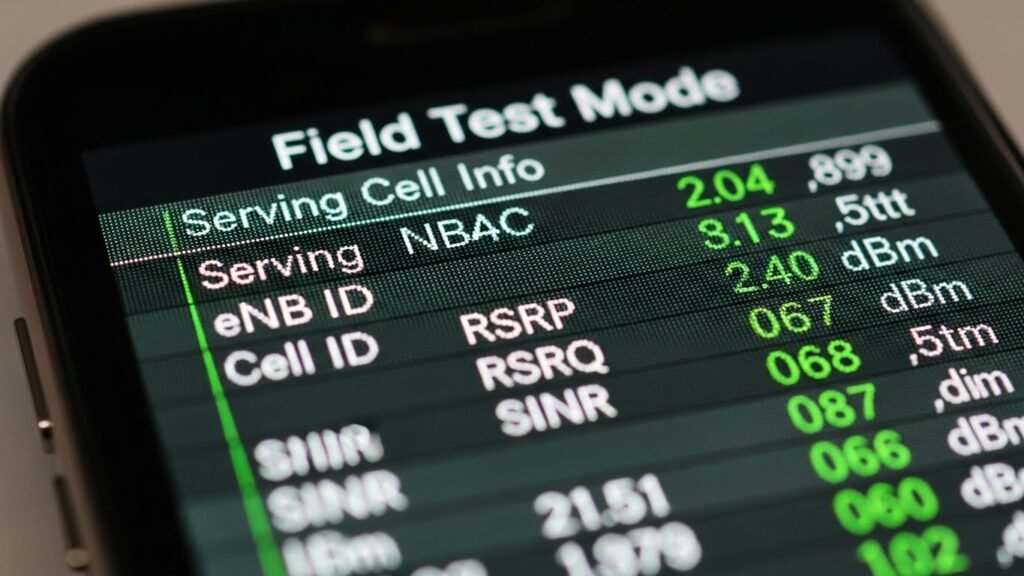
If you have tried everything and still see a red phone signal, it is time for the pros. Your phone has hidden menus that show exactly what is wrong. These “Field Test” modes give you raw data about your connection. It can tell you if your antenna is actually broken or just weak. This info is gold for troubleshooting with a technician.
Technical Discovery Tools
- iPhone Field Test: Dial 3001#12345# to see your real-time signal strength.
- Android Info Menu: Dial ##4636## to check your cellular radio status.
- Third-Party Apps: Tools like Network Cell Info Lite show you nearby towers.
- Baseband Testing: A pro can check if your phone’s internal modem is fried.
The Future of Signal Management
The world of mobile signals is changing fast. Soon, a red phone signal might be a thing of the past. New technology is connecting phones directly to satellites in space. This means you could have service in the middle of the ocean. The future of connectivity looks very bright and very reliable.
Emerging Tech
- Satellite Direct-to-Cell: Phones are starting to talk to satellites for emergency help.
- 6G Expansion: The next generation of mobile tech will focus on “everywhere” coverage.
- AI Networks: AI will soon help your phone jump between towers more smoothly.
- Universal Roaming: Future deals might make roaming charges disappear entirely.
Summary: Transforming Anxiety into Action
A red phone signal is just a bit of data from your device. It is there to help you stay safe and save money. By following this guide, you now know how to handle any signal crisis. You have the tools to troubleshoot like a real pro. Don’t let a few red bars ruin your day ever again.
Final Connection Checklist
- Stay Calm: Remember that SOS mode is a safety feature for you.
- Be Proactive: Keep your software updated and check your billing status.
- Have a Backup: Always have a Wi-Fi or offline map plan ready to go.
- Know Your Tech: Use the hidden menus to diagnose big problems fast.
Frequently Asked Questions
Why is my phone signal red even with full bars?
This usually means the network is very busy. Even if the signal is strong, the “road” is too crowded for data.
Can I still use the internet on a red signal?
Only if you find a Wi-Fi network. Regular cellular data is usually turned off in red modes.
Does a red signal drain my battery?
Yes, your phone works much harder to find a tower when the signal is weak. This will eat up your battery fast.
Is my SIM card broken if the signal is red?
It could be. Try cleaning it first, and if that fails, ask your carrier for a replacement.
Does Apple or Samsung fix red signal issues?
If the problem is hardware damage, yes. But often, it is a network problem that only your carrier can fix.
Does weather like heavy rain or snow cause a red phone signal?
Yes, extreme weather can interfere with signal propagation by absorbing or scattering the invisible waves sent from cell towers. This phenomenon is often called rain fade and can cause your signal bars to drop or turn red during a storm.
Can a phone case made of metal interfere with my reception?
Thick cases or those containing metal can act as physical obstructions that block the internal antenna’s signal path. If you see a red phone signal, try removing the case to see if the cellular bars return to a normal color.
Why does my signal turn red when I enter a large building or basement?
Materials like thick concrete, brick, and steel are physical obstructions that weaken the signal path from the network provider. These materials often create dead zones where the signal strength becomes too low to maintain a connection.
What is the difference between a red signal and a No Service message?
A red signal or low signal strength usually means you have a very weak but functional connection to the carrier network. “No Service” means your phone cannot find any network provider at all, making it impossible to communicate without Wi-Fi.
Can I fix a red phone signal by resetting my APN settings?
An APN (Access Point Name) reset can fix data speeds and connection issues by refreshing the settings your phone uses to talk to the mobile network. This is a common troubleshooting step for Android and iOS devices experiencing persistent network errors.
What should I do if my SIM card says Invalid SIM along with a red signal?
An “Invalid SIM” notification usually points to a hardware malfunction or an improperly seated SIM card. You should power down the device, remove the card, clean the gold contacts, and reinsert it firmly.
Does an account suspension always result in a red signal icon?
Yes, if your network provider suspends your account due to billing issues, the device will lose access to the carrier network. You will likely see “Emergency Calls Only” or a red indicator until the account is refreshed.
How does network congestion affect my phone during peak hours?
Network congestion happens when too many mobile devices try to use the same cell towers at once. This leads to dropped calls and slow data speeds, causing the signal indicators to reflect a poor connection.
Can a software update fix a persistent red phone signal?
System updates often include cellular radio updates and firmware fixes that improve how your phone connects to the infrastructure. Keeping your software current ensures your device can handle the latest network optimization techniques.
What is Field Test Mode and how does it help with signal readings?
Field Test Mode is a hidden menu that provides detailed signal readings in dBm (decibels) rather than just simple bars. This allows you to see the exact signal thresholds and determine if your reception is truly failing.
Does Airplane Mode actually help resolve network registration errors?
Toggling Airplane Mode forces the device to disconnect and then perform a fresh network registration with the nearest cell towers. This is often the fastest way to solve a temporary network outage or glitch.
Is Wi-Fi calling a good solution for poor indoor coverage?
Wi-Fi calling is an excellent communication strategy because it routes your voice calls through a Wi-Fi connection instead of the cellular network. This bypasses physical obstructions that usually cause a red phone signal inside homes or offices.
What is the role of a signal booster in rural regions?
In rural regions where cell towers are far away, a signal booster can provide amplification for weak foreign signals. This improves the overall communication experience by turning a low signal strength into a stable one.
Why do some international roaming signals show up in red?
International roaming signals are often marked in red to alert the user about potential roaming charges. It serves as a visual reminder that you are using a network provider other than your home carrier.
Can a damaged baseband or cellular radio cause a permanent red signal?
Yes, a hardware malfunction in the baseband or cellular radio will prevent the phone from registering on any network. If software updates and SIM swaps do not work, the phone may require professional hardware diagnostics.
What are the benefits of using an eSIM over a physical SIM card?
An eSIM can be more reliable because it eliminates physical SIM card damage or wear and tear. It also makes troubleshooting easier as you can perform an account refresh or change carriers digitally.
How do I know if a network outage is affecting my geographic location?
You can check network availability by using your carrier’s app or websites that track network provider status. If a local tower is down for maintenance, you will likely see a red phone signal until repairs are finished.
Does the carrier settings update pop-up actually do anything?
A carrier update contains important settings for network prioritization and band support. Installing these updates ensures your phone stays compatible with the latest upgrades to the local infrastructure.
Can I still use apps like WhatsApp or Signal with a red phone signal?
You can use the Signal app, WhatsApp, or Telegram only if you have an active Wi-Fi connection. These apps rely on data and will not work over a red cellular signal without an alternative internet source.
What should I do if my phone is stuck in SOS mode in a remote area?
If you are in a remote area, try moving to an optimal location like a hilltop to find a signal path. If the red “SOS” remains, remember that you can still reach emergency services via any available mobile network behavior.