 Skip to content
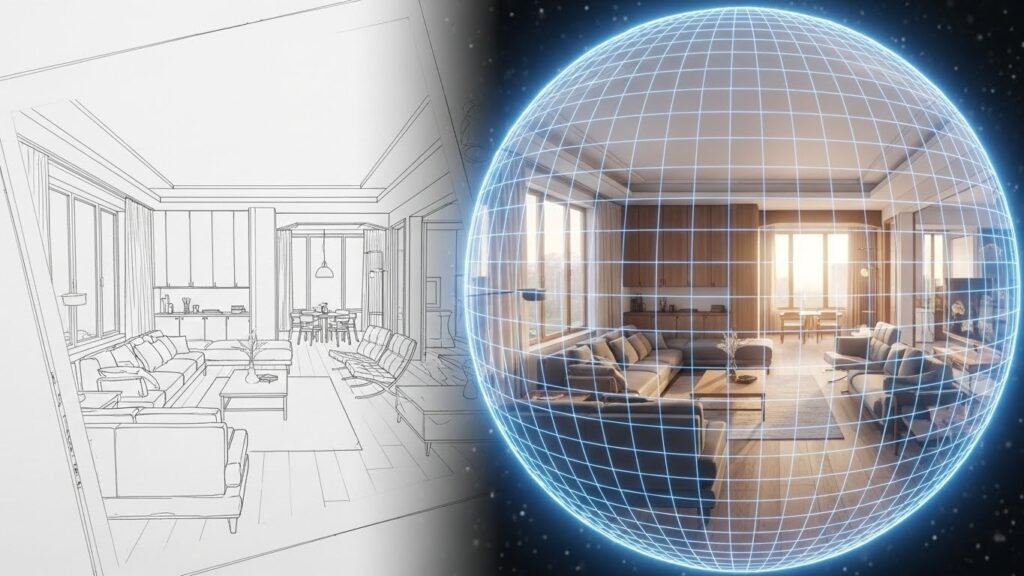
The world of building design is changing fast. We used to look at flat drawings and simple pictures. Now we have projected panorama ai to change everything. This tech takes a simple sketch and turns it into a full world. It lets you look around in every single direction. It is like magic for architects and designers. You can see your ideas come to life instantly. This guide will show you how it works. We will look at why it is a big deal today.
Introduction to AI-Powered Panoramic Visualization
Architects used to spend days on one drawing. Then they moved to 3D models on computers. Those were better but still felt like just pictures. Now projected panorama ai creates a total 360-degree view. This means you can feel the space around you. It uses smart math to guess what is behind the camera. You don’t have to draw every tiny corner anymore. The AI does the heavy lifting for you.
The concept of projected panorama ai is pretty simple. You give the computer an image or a sketch. It looks at the lines and the shapes. Then it builds a round bubble around that image. This bubble is a seamless 360-degree environment. You can use a VR headset to walk inside. It bridges the gap between a dream and a real building. This makes it a huge win for everyone involved.
The impact on the industry is already massive. Architects can show their work to clients better. Interior designers can pick furniture and see it in 3D. Real estate agents can sell houses that aren’t built yet. It makes things move much faster than before. You save money because you find mistakes early. It turns a boring meeting into a fun experience. People love seeing their future homes this way.
Understanding the Core Technology: Panorama vs. HDRI
Differences Between Standard Panoramas and HDRI Panoramas
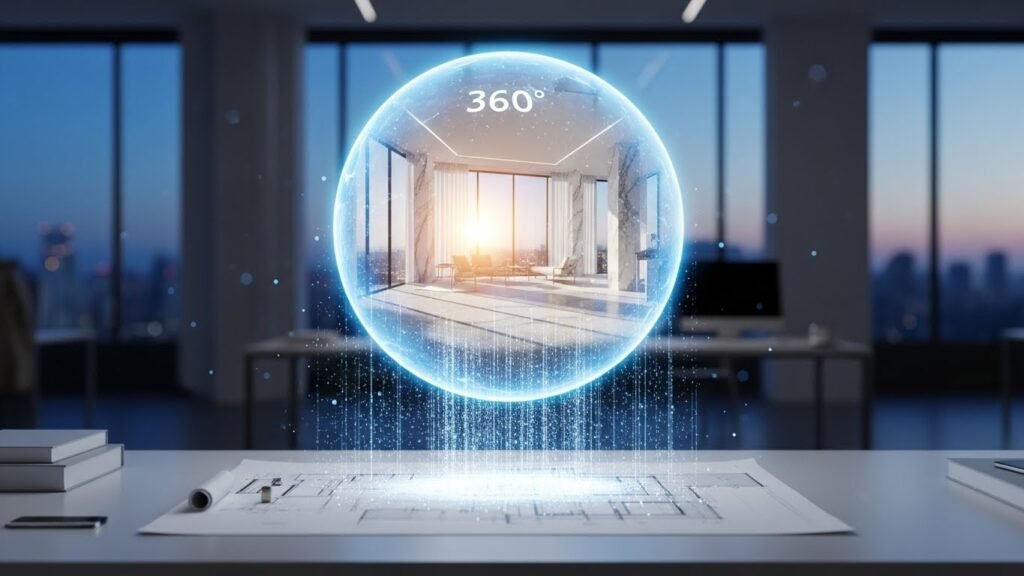
A standard panorama is just a wide photo. It looks cool but it is very flat. It does not have any hidden data about light. If you put it in a 3D program, it looks dull. An HDRI panorama is much more advanced. It stands for High Dynamic Range Imaging. This means it remembers where the sun is. It knows how bright the light should be.
Standard panoramas are great for a quick look. They show you the view but nothing else. HDRI panoramas act as a light source for models. If you place a digital chair in an HDRI, it gets shadows. The shadows look real because the light is real. This is why pros use HDRI for high-end work. It makes a digital room look like a photo. Projected panorama ai helps create these maps quickly.
The functional role of HDRI is very important. It acts as a lighting skin for your project. Programs like Blender and 3ds Max love these files. They use the image to light up your 3D scene. You don’t have to set up 100 digital lamps. The 360-degree image does all the work for you. This saves hours of rendering time every day. It is a total game changer for 3D artists.
Comprehensive Overview of Panorama Types
- Cylindrical Panoramas: These are long strips used for posters.
- Cubemap: These look like a box unfolded into six sides.
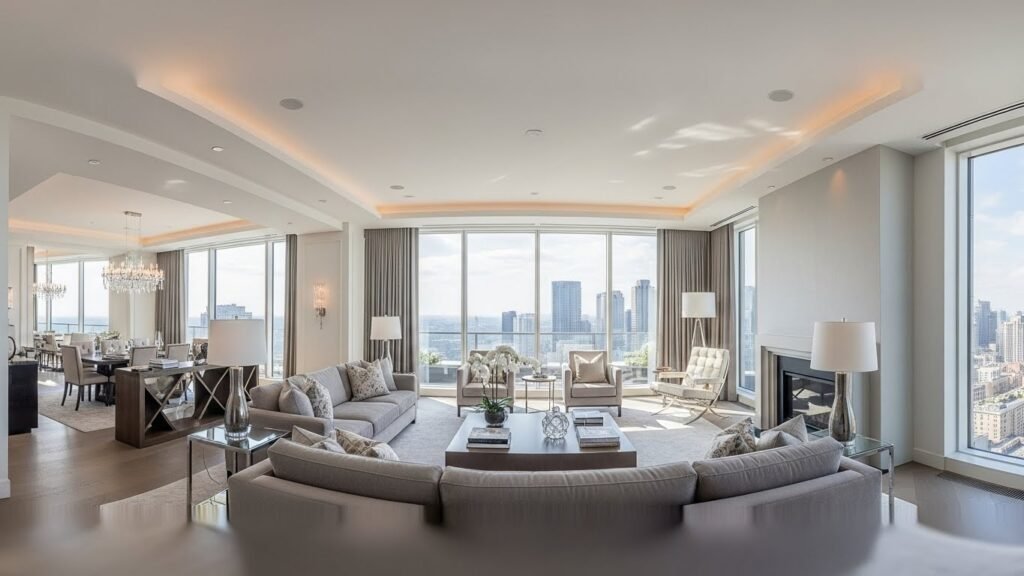
- Equirectangular Projection: This is the most popular 360-degree format.
- Spherical Maps: These wrap around a center point perfectly.
Projection Methods and AI Geometry
Turning a flat photo into a ball is hard. The math has to be perfect or things look weird. Projected panorama ai uses spatial geometry to fix this. It stretches the image so it fits a sphere. This prevents the “funhouse mirror” effect at the top. The AI looks at the floor and ceiling lines. It makes sure they stay straight and natural. This is called perspective correction and it is vital.
The AI also creates something called depth mapping. This tells the computer how far away things are. A wall might be ten feet away while a chair is two. This makes the 360-view feel like a real room. Without depth, everything feels like a flat painting. The AI guesses these distances by looking at shadows. It is very smart at reading architectural intent. This makes the final result look very professional.
| Feature | Standard Panorama | HDRI Panorama |
| Lighting Data | Low / None | Very High |
| File Size | Small | Large |
| Use Case | Social Media | Professional 3D |
| Realism | Basic | Photorealistic |
Key Benefits of Integrating AI into Panoramic Workflows
Speed, Accuracy, and Scalability
In the old days, you had to stitch photos. You would take 50 pictures and hope they fit. This was called panorama stitching and it was slow. Sometimes the edges didn’t match up at all. Projected panorama ai does this in seconds. It uses automated stitching to make everything perfect. You get a clean result every single time. It can handle hundreds of rooms for a big hotel.
The accuracy of AI is also getting better. It understands how light bounces off different materials. It knows that glass should reflect the room. It knows that carpet should look soft and dull. This level of detail used to take days. Now the AI handles it with image-to-HDRI tech. You can scale your business because you work faster. One designer can now do the work of five.
Cost and Time Efficiency
You don’t need a $5,000 camera anymore. Most 360-degree cameras are expensive and hard to use. With projected panorama ai, you just need a render. You can take a screenshot of your 3D model. The AI turns that small shot into a full world. This saves you thousands of dollars on hardware. You also don’t have to hire a pro photographer.
Time is money in the world of design. Waiting for a 360-render used to take all night. Now you can get one while you grab coffee. This rapid rendering lets you try new ideas fast. If a client hates the color, you change it. Then you generate a new panorama in minutes. It keeps the project moving without any long breaks. Your clients will love how fast you work.
Enhanced Client Engagement and Immersive Views
Clients often struggle to read flat blueprints. They can’t imagine what a room feels like. Projected panorama ai gives them a virtual tour. They can look up at the ceiling or down at the rug. This creates a strong emotional connection to the design. They feel like they already own the space. It makes them much more likely to say yes.
- Virtual Walkthroughs: Let clients explore on their own time.
- Spatial Perception: Show exactly how much room is available.
- Decision Support: Help pick the best colors and layouts.
- VR Compatibility: Use headsets for a total “wow” factor.
Practical Applications in Design and Real Estate
Interior Design and Virtual Staging
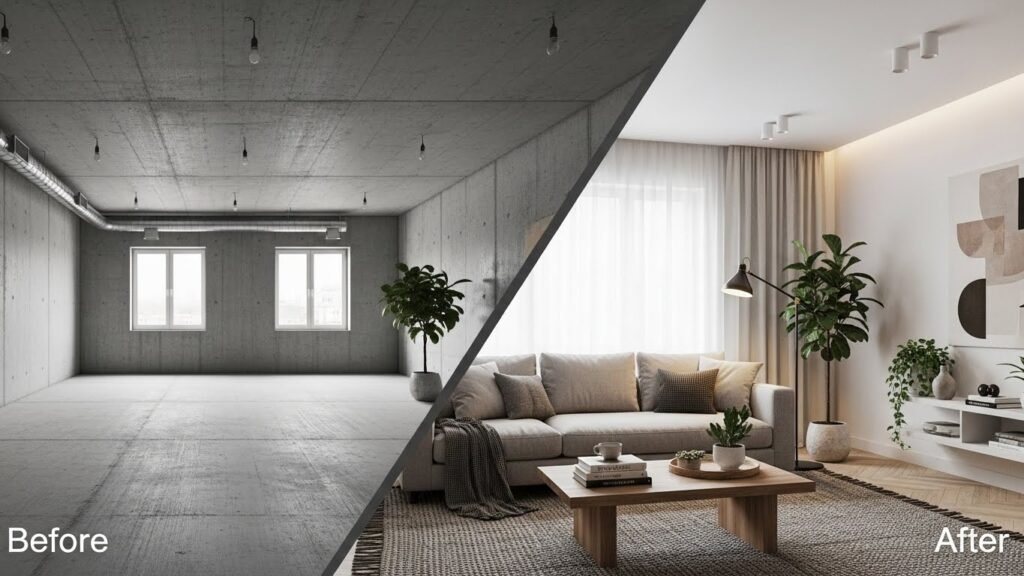
Interior designers love using projected panorama ai for staging. You can take a photo of an empty, dusty room. The AI can then add beautiful furniture and lighting. It creates a 360-degree view of a finished home. This is great for selling houses that need work. Potential buyers can see the hidden beauty of a space. It helps them look past the old wallpaper.
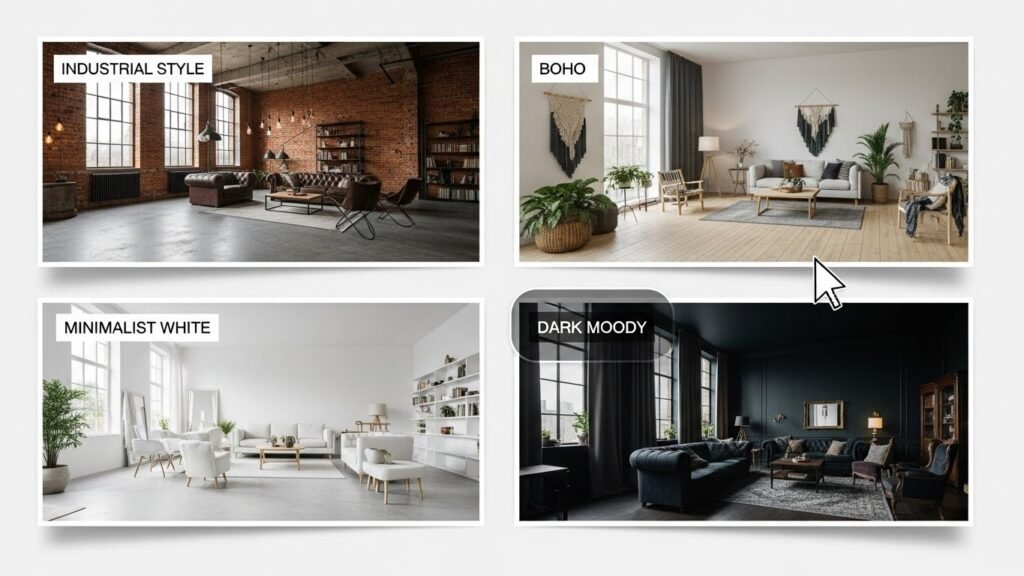
You can also test many styles very quickly. One click gives you a modern look. Another click gives you a rustic farmhouse vibe. This moodboard exploration is very helpful for new projects. You can show a client three different options in one meeting. They can stand in each version using their phone. This makes the design process much more interactive. It turns a chore into a fun game.
Real Estate Marketing and Digital Twins
Real estate agents use this tech to make listings pop. An interactive experience gets more clicks than a photo. People spend more time looking at 360-degree visuals. This helps a property stand out on busy websites. It also filters out buyers who aren’t really interested. They already saw the whole house online. This saves the agent from doing 20 pointless tours.
The idea of a digital twin is also growing. This is a perfect digital copy of a real building. You can use it to track repairs or plan changes. Projected panorama ai helps keep these twins updated. You can snap a photo and update the 360-view instantly. It is a powerful tool for property managers. It helps them keep everything organized and easy to see.
How to Use an AI Panorama Generator: A Step-by-Step Guide
Step 1: Preparing Your Input Image
Start with a clean image of your design. It can be a photo or a 3D render. Make sure the lines are clear and sharp. Don’t use a blurry or dark picture for this. The AI needs to see the edges of the room. This helps it understand the spatial relationships. A good input means a great output later.
Step 2: Selecting Input Type and Category
Tell the tool what kind of room it is. Is it a kitchen or a big office? Each room has a different architectural logic. A kitchen needs counters and a stove. An office needs desks and bright lights. Picking the right category helps the AI guess better. It will fill in the blanks with the right objects. This makes the 360-view look much more believable.
Step 3: Crafting Effective AI Prompts
You need to talk to the AI properly. Use simple words to describe the style you want. Say things like “modern white kitchen” or “cozy dark bedroom.” These are called prompts and they guide the AI. Don’t write a whole story or use big words. Just list the most important parts of the design. This is called prompt conditioning in the tech world.
- Style: Mention the vibe like “industrial” or “boho.”
- Lighting: Describe the light like “sunny” or “moody.”
- Materials: Name the finishes like “marble” or “wood.”
- Colors: Pick a palette like “blues and grays.”
Step 4: Adjusting Advanced Settings
Most tools have a few buttons for extra control. You can change the denoising strength to make it smoother. You can also pick the final resolution of the image. For a website, 4K is usually plenty. If you are using a VR headset, go for 8K or 16K. This ensures that the image stays sharp when you look close. High-resolution files look much more professional for big clients.
Step 5: Generation and Iteration
Hit the button and wait a few seconds. The AI will create a few different versions for you. This is called iterative variant generation. Look at them all and pick your favorite one. If none of them are perfect, change your prompt. You can keep trying until it looks exactly right. This is the best part of using AI for design. It never gets tired of making new versions.
Best Practices for High-Quality Results
Camera Positioning and Field of View
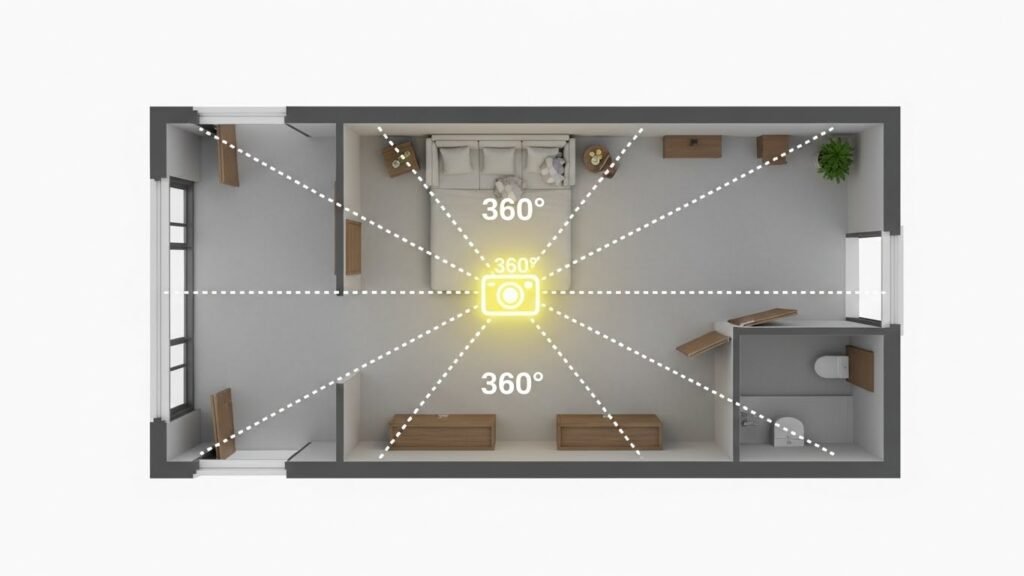
Where you put the camera matters a lot. Try to put it in the middle of the room. This gives the best 360-degree view of everything. If you put it in a corner, things might look weird. Keep the camera at eye level for a natural feel. This helps people understand the scale accuracy of the space. It makes them feel like they are really there.
The field of view is also a big factor. Don’t zoom in too much on one thing. You want to see as much of the room as possible. This gives the AI more clues to work with. It helps it create a better equirectangular image. A wider shot usually leads to a better panorama. It gives the computer a better sense of the whole area.
Refinement and Upscaling
The first image might be a little bit fuzzy. You can use an upscaling tool to fix this. It adds more pixels to make the image super sharp. This is important for professional-grade output. You can also use inpainting to fix small mistakes. If a chair looks weird, you can tell the AI to redraw it. This lets you polish the design until it is perfect.
Technical Architecture of AI Panorama Generators
While traditional 3D rendering engines like V-Ray or Lumion calculate light paths through a static 3D scene, AI panorama generators utilize Latent Diffusion Models (LDMs). These models do not “render” in the classic sense; instead, they “denoise” a cloud of random pixels into a coherent 360-degree image by following architectural patterns they learned during training.
Equirectangular Projection and Seam Logic
The primary challenge for AI is maintaining a “seamless” wrap. High-quality tools use specialized circular padding in their neural layers, which ensures that the far-left edge of the image perfectly matches the far-right edge. Without this, a visible “seam” appears when the viewer turns around in a VR headset.
Resolution and Upscaling Workflows
Initial AI outputs are often limited in resolution (typically 1024×512 or 2048×1024). To achieve professional-grade results, designers must use AI Upscalers that inject high-frequency detail—such as the grain of wood or the texture of concrete—to reach 8K or 16K resolutions suitable for large-scale displays.
Leading Software and Workflow Integration
The landscape of AI panorama tools is rapidly expanding, with different platforms catering to specific stages of the design process.
Top Industry Tools for 2025-2026
- Blockade Labs (Skybox AI): A leading tool for rapid, text-based environment creation, allowing architects to generate entire cityscapes or landscapes with a single prompt.
- D5 Render: Integrates AI directly into the BIM workflow, using real-time rendering to preview materials and lighting before AI enhances the final 360-degree output.
- Chaos Veras: A plugin for Revit and Rhino that uses AI to transform simple “clay models” into photorealistic panoramic visualizations.
- Stable Diffusion (Local Builds): Preferred by tech-savvy firms for its “ControlNet” features, which allow precise control over architectural lines and depth, ensuring the AI doesn’t “hallucinate” away structural walls.
Integrating with BIM and CAD
Modern workflows now bridge the gap between Building Information Modeling (BIM) and AI. By exporting a basic 360-degree view from software like Revit (often in IFC format), designers can use it as an “image prompt,” ensuring the AI-generated panorama maintains the exact spatial dimensions of the real project.
Legal and Ethical Considerations
The use of AI in professional architecture introduces new complexities regarding ownership and liability.
Copyright and Ownership
Current legal frameworks in many jurisdictions (including the U.S. and EU) suggest that purely AI-generated images may not be eligible for copyright protection. To ensure a firm owns its designs, architects must demonstrate “substantial human involvement,” such as using their own sketches as the base or performing significant manual post-processing on the AI output.
Avoiding “Algorithmic Plagiarism”
AI models are trained on billions of existing images, which can lead to outputs that mimic the distinct “style” of famous architects. Professionals should use specific prompts that focus on materials and atmosphere rather than names of living architects to avoid ethical disputes or potential “style” infringement.
Hardware Requirements for Professional Use
Generating high-resolution 360-degree content requires significant computing power, especially for firms running AI locally.
Minimum Recommended Specs
- GPU (Graphics Card): The most critical component. A minimum of 12GB VRAM (e.g., NVIDIA RTX 3060 or higher) is recommended for 4K panorama generation.
- RAM: At least 32GB DDR5 to handle large architectural files and AI model loading simultaneously.
- VR Hardware: For client presentations, headsets like the Oculus Quest 3 or Apple Vision Pro provide the necessary refresh rates (90Hz+) to prevent motion sickness during panoramic tours.
Future Trends: Towards 2026 and Beyond
The next generation of panorama AI will move beyond static images into dynamic, data-driven environments.
Dynamic Climate and Lighting
By 2026, AI panoramas will likely integrate with GIS (Geographic Information Systems) data to simulate real-world lighting for a specific site at any time of year, including accurate shadow movement and seasonal vegetation changes.
Text-to-BIM Evolution
The industry is moving toward “Text-to-BIM,” where a panoramic AI visualization can eventually be converted back into a functional 3D model with accurate wall thicknesses and material schedules, closing the loop between a creative “dream” and a buildable reality.
Conclusion
The integration of AI into panoramic visualization and HDRI creation represents a fundamental shift in architectural design and real estate marketing. By moving away from static, flat drawings and toward immersive 360-degree environments, professionals can now provide a “total view” that bridges the gap between conceptual dreams and physical reality.
The primary value of this technology lies in its efficiency and engagement:
- Workflow Optimization: AI automates the laborious tasks of stitching and lighting, allowing designers to generate professional-grade HDRI maps and seamless equirectangular projections in seconds rather than hours.
- Cost and Accessibility: The shift toward AI-driven rendering reduces the need for expensive specialized camera hardware and long rendering wait times, making high-end visualization accessible to firms of all sizes.
- Enhanced Communication: Virtual tours and VR compatibility allow clients to emotionally connect with a space before it is built, significantly improving decision support and project approval rates.
As the industry moves toward 2026, the technology is set to become even more sophisticated, integrating with BIM and GIS data to create dynamic, data-driven “digital twins”. While navigating this new landscape requires careful attention to hardware specifications and emerging legal frameworks regarding AI ownership, the potential for innovation is immense. Ultimately, projected panorama AI serves as a powerful partner for the modern architect, turning complex spatial data into intuitive, immersive experiences.
FAQs
What is the technical difference between an LDR panorama and an HDRI map?
An LDR (Low Dynamic Range) panorama is a standard 8-bit image that looks correct to the eye but lacks the data to act as a light source. An HDRI (High Dynamic Range Image) contains 32-bit data, storing actual light intensity values. While an LDR image is just a background, an HDRI map allows your 3D software to calculate realistic shadows and reflections based on the brightest points in the image, such as the sun or lamps.
Can AI generate an HDRI from a text prompt alone?
Yes, newer tools like Skybox AI by Blockade Labs or Stable Diffusion plugins allow you to type a description (e.g., “a modern minimalist loft at sunset”) and generate a complete 360-degree environment. While these were initially LDR, advanced pipelines now allow for the generation of true high-dynamic-range maps directly from text to power 3D lighting workflows.
How does AI handle the “nadir” or the tripod area in a panorama?
In traditional photography, the “nadir” (the view straight down) often shows the camera tripod. AI panorama tools excel here by using “inpainting” or “generative fill” to automatically synthesize a seamless floor, grass, or pavement texture, removing the need for manual retouching in Photoshop to hide equipment.
Can I use AI to convert a standard flat photo into a 360-degree view?
AI can “outpaint” a standard photo to create a 360-degree environment, but it involves “hallucinating” the missing 270+ degrees of the scene. While this is useful for conceptual backgrounds, it may not perfectly represent the real-world space behind the camera unless guided by additional reference images.
What is the best file format for exporting AI-generated panoramas?
For standard viewing and virtual tours, JPG or PNG (equirectangular) is sufficient. However, if you intend to use the panorama for professional lighting in software like V-Ray or Blender, you should export in .EXR or .HDR formats to preserve the high-dynamic-range data.
Is it possible to edit specific objects inside an AI-generated panorama?
Currently, most AI panorama tools generate the entire scene as a single flattened image. To edit specific objects, you typically need to use “equirectangular-aware” editing tools or re-project the image into a “cube map” format, edit the flat faces in an AI image editor (like Midjourney or DALL-E), and then stitch them back together.
How does AI ensure the horizon line stays straight in a 360-degree render?
AI models specifically trained on equirectangular datasets understand the geometric distortion required at the poles (top and bottom) and the need for a perfectly horizontal center line. This prevents the “wavy horizon” effect common in manual stitching errors.
Can I integrate AI panoramas with BIM software like Revit or ArchiCAD?
Yes, most BIM software allows you to import custom background images for renderings. You can generate a site-specific panorama using AI and load it into your BIM environment’s “Environment” or “Sky” settings to see how your building model interacts with the AI-generated context.
What are the legal implications of using AI-generated HDRI maps for commercial projects?
The legal landscape is evolving. Generally, AI-generated content cannot currently be copyrighted in the US unless there is “significant human intervention.” However, most commercial AI platforms grant users a license for commercial use of the output. It is vital to check the Terms of Service of the specific tool you are using.
Does AI-generated lighting match the accuracy of a physically captured HDRI?
While AI is visually convincing, it may not always be “photometrically accurate.” A physically captured HDRI uses multiple exposures of a real light source. AI estimates light intensity, which is excellent for creative visualization but may require manual adjustment if used for scientific lighting simulations.
How do I fix “seam lines” where the edges of the panorama meet?
If an AI tool produces a visible seam, it is usually because the “wrapping” feature was not enabled. You can fix this by using a “cloning” or “healing” brush in a 360-aware photo editor, or by running the image through an AI “tileable” texture generator to ensure the left and right edges match perfectly.
Can AI create “Stereoscopic” 3D panoramas for VR?
Yes. Some advanced AI tools can generate “top-bottom” or “side-by-side” stereoscopic panoramas. This adds a sense of depth and scale when viewed through a VR headset (like Meta Quest), making objects feel like they are at different distances rather than just painted on a sphere.
Is it possible to use AI to change the time of day in an existing panorama?
“Image-to-image” AI translation can take an existing daylight panorama and “re-light” it into a night or sunset scene. This is a powerful way for architects to show a site’s transformation across different times of day without recapturing the scene.
What is the ideal resolution for an AI panorama intended for high-end VR?
For a crisp experience in modern VR headsets, an 8K (8192 x 4096) resolution is the industry standard. AI upscaling tools (like Topaz Gigapixel or built-in AI upscalers) are often used to take a 2K or 4K AI generation and boost it to 8K or 16K for professional use.
How does AI-generated “Depth Mapping” enhance a 360-degree tour?
Some AI tools can generate a “depth map” (a grayscale image showing distance) alongside the panorama. This allows virtual tour software to create a “parallax effect,” where the background shifts slightly as the user moves their head, creating a much more convincing 3D feel.
Can I prompt an AI to create a panorama based on a specific location’s style?
Yes. By using “Style Reference” (Sref) or specific keywords (e.g., “in the style of Tokyo Shibuya at night” or “Scandinavian forest”), you can steer the AI to match the architectural or environmental aesthetic of a specific geographical region.
How much energy does it take to generate an AI panorama?
Generating a single high-resolution AI image is estimated to use between 0.01 to 0.3 kWh of electricity—roughly the equivalent of charging a smartphone several dozen times or running a refrigerator for half an hour. This is a growing consideration for firms focusing on sustainable digital workflows.
Can AI generate “Multi-room” connected 360 tours automatically?
While AI can generate individual rooms, connecting them into a functional “walkthrough” still requires manual placement of “hotspots” in platforms like Kuula or CloudPano. However, AI is starting to automate the “pathfinding” to suggest where these hotspots should be placed.
What is “Equirectangular Projection” and why does AI use it?
Equirectangular projection is the standard way of “unrolling” a sphere into a flat 2:1 rectangle. AI models are trained on this specific format because it is the universal language for 360-degree viewers and VR headsets, allowing the flat image to be “wrapped” back into a sphere.
Will AI replace professional architectural photographers?
AI is a powerful tool for conceptual and predictive visualization (showing what could be). However, for documenting finished buildings with 100% accuracy, professional photography remains the gold standard. AI is currently a partner to the photographer, used for sky replacement, object removal, and enhancing captured shots.